What is WebinarClonesAI?
WebinarClonesAI is a cloud-based software platform that helps users publish done-for-you automated webinar funnels without recording their own presentation. It comes with prebuilt webinar assets, hosted funnel pages, lead capture, dynamic calls-to-action, email and SMS follow-up, replay routing, and a simple link-insertion workflow for affiliate or custom offers.
The product is built around speed. Rather than spending time writing a webinar script, designing slides, choosing webinar software, connecting reminders, and testing pages, a user can start with an already assembled funnel. After choosing a campaign, the user pastes the link they want to promote, saves the setup, and lets the system host the webinar automatically. For creators, affiliates, side-hustlers, and small teams, that means the webinar becomes a distribution asset instead of a production project.
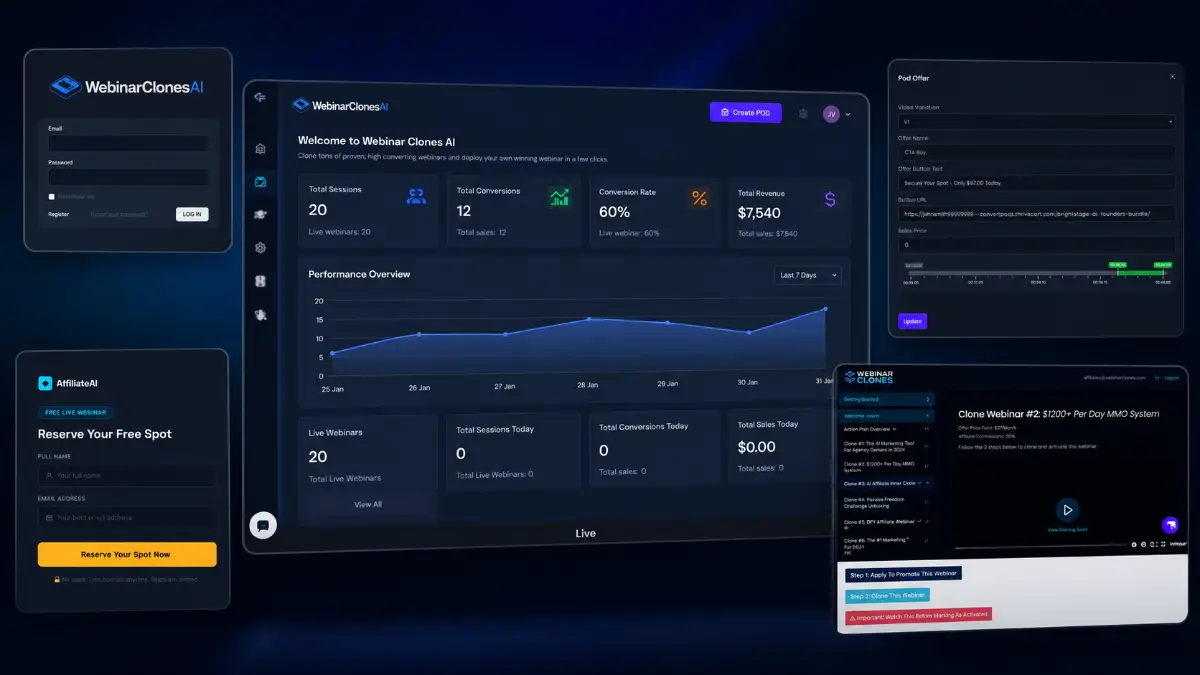
How it works (4 simple steps)
- Step 1 — Pick a campaign: Open the WebinarClonesAI dashboard and select one of the ready-made webinar funnels. The presentation, flow, and core conversion structure are already prepared, so you are not starting with a blank screen.
- Step 2 — Insert your offer link: Paste the affiliate link, product URL, booking page, or custom destination you want viewers to visit. The platform places it inside the funnel so the webinar can point traffic toward your monetization step.
- Step 3 — Publish the webinar: Save the campaign and put the webinar live. Hosting is handled inside the platform, which removes the need for separate webinar tools, page builders, or manual event setup.
- Step 4 — Let automation continue the campaign: After publication, the system manages timed CTAs, lead capture, follow-up messages, replay routing, simulated chat elements, objection handling, and basic conversion tracking while the funnel keeps running.
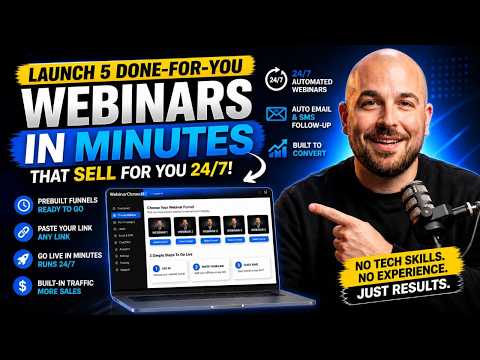
See how WebinarClonesAI works
Step-by-step walkthrough from my YouTube channel
Key features that matter
WebinarClonesAI is not trying to be a traditional webinar studio where you build every detail manually. Its value is in taking a proven content format — the automated webinar — and packaging it into a deployable funnel for people who want to promote faster. That makes the feature set especially relevant when you care about campaign speed, lead capture, follow-up, and simple monetization more than heavy creative control.
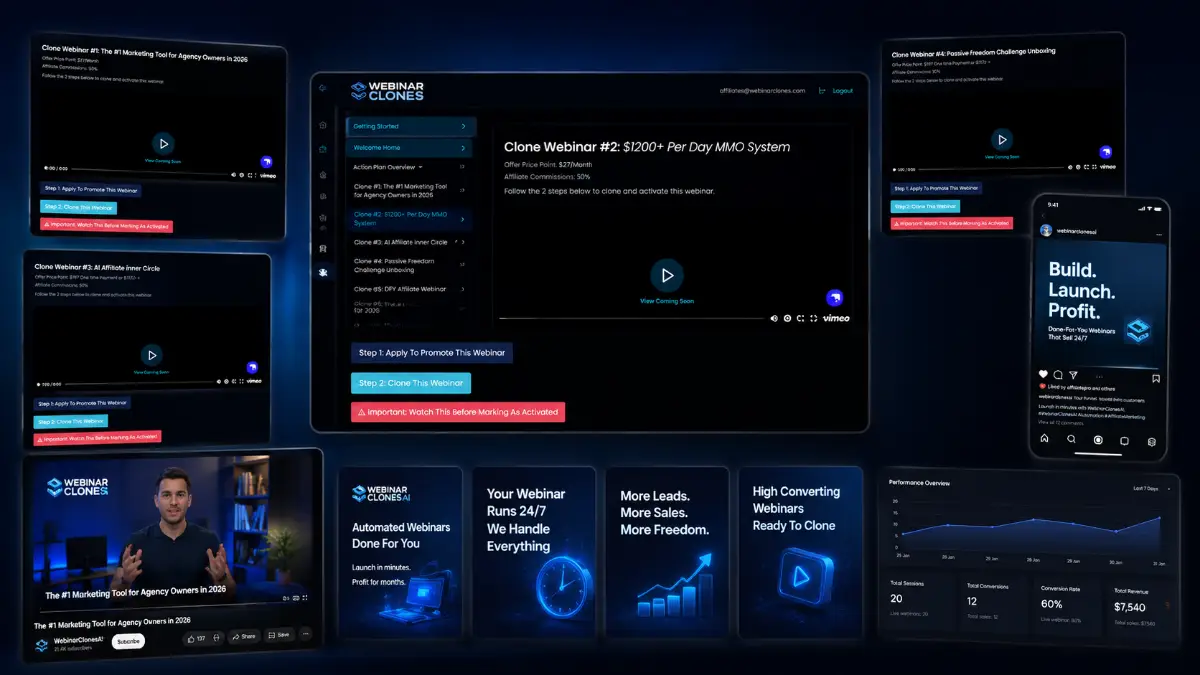
- Done-for-you webinar funnels: access 5 complete webinar funnels that are already recorded, scripted, structured, and ready to publish without creating your own presentation content.
- Fast link integration: paste an affiliate link, sales page, checkout URL, booking page, or other destination and let the software place it into the campaign flow.
- Automated webinar hosting: run webinar sessions around the clock from inside the platform without needing Zoom, WebinarJam, EverWebinar, or separate hosting tools.
- Built-in email follow-up: send automated messages to people who register, miss the webinar, watch the replay, or need another reminder before taking action.
- SMS follow-up tools: use text-message reminders and follow-up sequences to create more touchpoints after someone enters the funnel.
- Dynamic CTAs: show calls-to-action during key moments of the webinar so viewers see the offer when the presentation has already built context.
- Smart triggers: respond to behavior such as clicks, missed sessions, exits, replays, or engagement signals with different automated actions.
- Live chat simulation: display preloaded questions, answers, FAQs, and objection-handling content to make the webinar feel more active and guided.
- Lead capture and storage: collect names, emails, and other lead details directly inside the system, then export data when you want to use it elsewhere.
- Replay routing: give prospects another chance to watch and click, which is useful when visitors register but do not attend the first time.
- AI traffic optimization: improve visibility opportunities across AI-driven discovery channels such as ChatGPT, Gemini, Claude, Perplexity, and search-style AI assistants.
- Fully hosted setup: avoid extra expenses for pages, domains, external webinar hosting, or additional technical infrastructure at the beginning.
- Beginner-friendly publishing: the practical workflow is built around logging in, choosing a funnel, adding a link, saving, and sending traffic.
- Autoresponder flexibility: use the built-in lead system or connect/export leads for more advanced email marketing control.
- Affiliate and creator use cases: create a warm-up asset before a product recommendation instead of sending cold traffic directly to a sales page.
Pros & Cons (realistic)
Pros
- Removes the hardest webinar tasks: beginners do not need to write a long script, record a presentation, configure webinar hosting, or design a funnel from scratch.
- Useful for affiliate warm-up campaigns: the webinar format can educate prospects before they reach an offer link, which is often better than sending traffic straight to a checkout or sales page.
- Follow-up is built into the campaign: email, SMS, replay routing, and behavior triggers help continue the conversation after registration instead of relying on one visit.
- Low technical friction: hosted pages, automated sessions, and simple link insertion make the workflow approachable for users with limited funnel experience.
- Clear upgrade path: the funnel gives buyers options for traffic support, partnership resources, recurring monetization, scaling, DFY setup, and white-label ownership.
Cons
- Prebuilt content is not the same as unique positioning: you still need the right niche, traffic source, offer match, and follow-up angle to make the campaign perform.
- Five core funnels may feel limited: users who want many niche-specific presentations may need upgrades, customization, or additional campaign planning.
- Traffic is not optional: automated webinars can run all day, but they only matter if targeted visitors are actually entering the funnel.
- Claims and compliance need review: affiliate offers, income angles, SMS usage, and follow-up messaging should be checked carefully before promotion.
My personal angle (how I’d use it)
- For affiliate promotions: I would use WebinarClonesAI as a pre-sell bridge, sending traffic to a webinar first so the offer is explained before the visitor reaches the affiliate page.
- For list building: I would treat each webinar as a lead magnet with a monetization path, then segment people based on attendance, replay clicks, and CTA behavior.
- For creator monetization: I would connect short-form content, YouTube descriptions, email newsletters, or social posts to the webinar funnel instead of only linking directly to a product.
- For testing offers: I would rotate different affiliate links through the funnel and track which offer creates the best click-through and follow-up response before scaling traffic.
Bonuses
WebinarClonesAI becomes more useful when it is attached to a traffic and monetization plan. The funnel gives you the webinar layer, but you still need the right campaign angle, offer selection, audience source, and follow-up sequence. For the full Tool Review Central bonus list and delivery details, use the internal page below:
Bonus details
See what’s included and how delivery works after purchase.
Quick buying decision (what I’d pick)
If I wanted the widest setup from the start, I would check the WebinarClonesAI Bundle first because it combines the Front-End, Traffic Igniter, Partnership, Recurring Partners, Empire, lifetime updates, bonuses, tutorials, and knowledge-base access in one purchase. The Front-End is the lowest-cost way to test the core idea: choose a DFY webinar, add your link, and publish. Traffic Igniter makes sense if your biggest missing piece is getting visitors. Partnership adds marketing systems, templates, swipes, and backend resources. Recurring Partners is built around turning leads into monthly commission potential. Empire fits users who want more scale, branding, and service positioning. DFY is for buyers who prefer setup help. Whitelabel is the larger business play for people who want to rebrand and sell the platform itself.
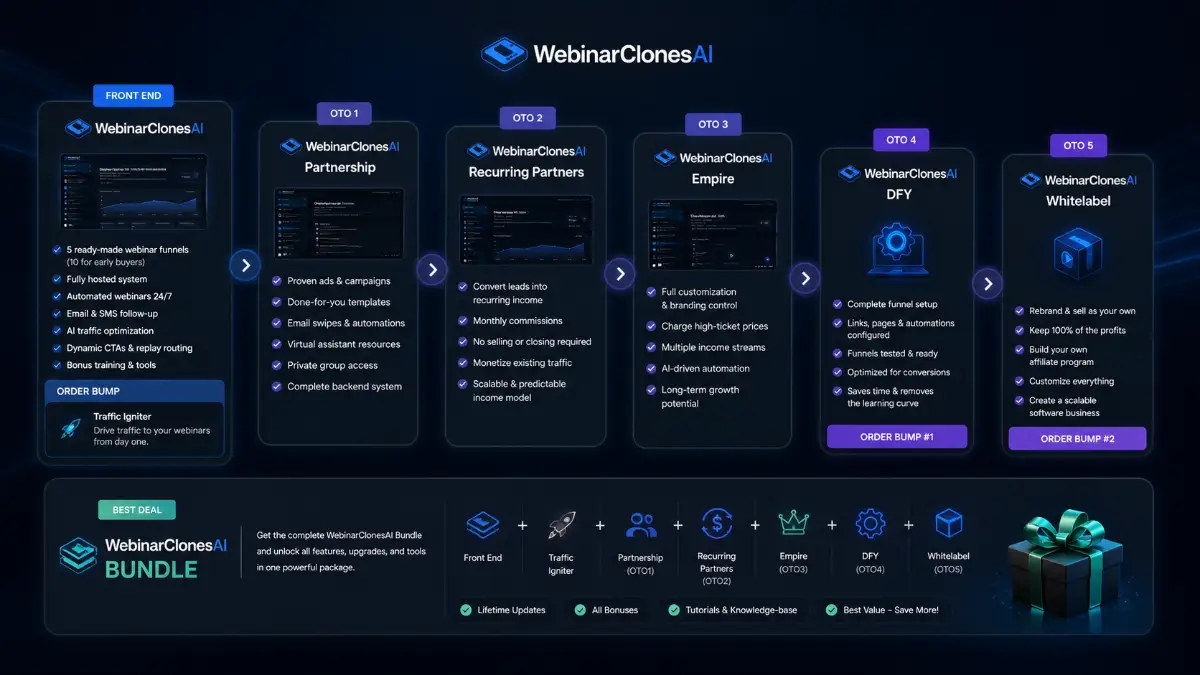
Pricing & funnel breakdown
| Offer | Price | Best for |
|---|---|---|
| Bundle — WebinarClonesAI Bundle | $267 | Best overall route for buyers who want the complete WebinarClonesAI stack in one purchase. Includes WebinarClonesAI Front-End, Traffic Igniter, Partnership, Recurring Partners, Empire, lifetime updates, all bonuses, tutorials, and knowledge-base access. |
| Front-End — WebinarClonesAI | $37 | Main entry package for launching automated webinar funnels quickly. Includes 5 ready-made webinar funnels, fully hosted pages, 24/7 automated webinar delivery, built-in email and SMS follow-up, AI traffic optimization, dynamic CTAs, replay routing, and bonus training/tools. Early buyers may receive 10 funnels. |
| Order Bump — WebinarClonesAI Traffic Igniter | $67/mo | Optional traffic add-on for users who want help getting visitors to their webinar funnels. Best for beginners who understand the funnel setup but need a stronger traffic path from day one. |
| Upsell 1 — WebinarClonesAI Partnership | $97 | For buyers who want a deeper business-in-a-box style resource package. Includes proven ads and campaigns, done-for-you templates and scripts, email swipes, automations, virtual assistant resources, private group access, and a backend marketing system. |
| Upsell 2 — WebinarClonesAI Recurring Partners | $77 | Built around recurring monthly income opportunities from the same leads and customers. Useful for users who want to monetize webinar traffic beyond one-time commissions without adding more selling or closing work. |
| Upsell 3 — WebinarClonesAI Empire | $127 | Scaling upgrade for users who want more customization, branding, multiple income streams, client service positioning, AI-driven automation, and a more flexible long-term business model. |
| Upsell 4 — WebinarClonesAI DFY | $147 | Hands-off implementation option where the team sets up webinar funnels, links, pages, automations, and testing. Best for users who want a ready-to-run setup without managing technical configuration. |
| Upsell 5 — WebinarClonesAI Whitelabel | $499 | Advanced ownership-focused offer for users who want to rebrand the platform, sell it as their own software, keep 100% of profits, build an affiliate program, customize pricing, and create a scalable software business asset. |
Direct links (bundle first)
Open in a new tab. These are affiliate links.
FAQ
Is WebinarClonesAI a webinar recording tool?
No. The main promise is not that you record your own webinar inside the software. The front-end focuses on prebuilt recorded webinar funnels that can be deployed with your own link. That makes it closer to an automated webinar funnel system than a video production suite.
Do I need my own domain or webinar software?
The system is positioned as fully hosted, so the basic workflow does not require buying a separate webinar platform or hosting setup. Users who want deeper branding, custom infrastructure, or advanced integrations should review the upgrade path before deciding.
Can WebinarClonesAI help with affiliate marketing?
Yes, that is one of the clearest use cases. You can place an affiliate link inside a webinar funnel and use the presentation to warm up traffic before sending viewers to the offer. Results will still depend on traffic quality, offer relevance, and compliance with the affiliate program’s rules.
Do you have a bonus page?
Yes — bonus info is here: /webinarclonesai-bonus/.
About the reviewer

Samuel Marco
I publish practical reviews of AI software and online business tools, focusing on real workflows, buyer use cases, monetization potential, pricing decisions, and whether a tool can realistically help someone save time, increase output, or package a service around it.
Final verdict
WebinarClonesAI is built for people who want to use webinars as a selling mechanism without producing the webinar from zero. It brings together done-for-you recorded webinar funnels, hosted automation, affiliate link insertion, lead capture, email and SMS follow-up, dynamic CTAs, replay routing, simulated chat, smart triggers, and AI traffic optimization. That makes it appealing for affiliates, creators, beginners, and side-hustlers who want a campaign asset that can keep running after the initial setup. The main limitation is that automation does not replace strategy: you still need targeted traffic, a relevant offer, responsible claims, and a follow-up path that makes sense for your audience. Used with the right offer and a consistent traffic plan, WebinarClonesAI can be a practical shortcut for turning attention into leads and commissions through automated webinar funnels.
Want a faster way to launch DFY automated webinar funnels with ready-made presentations, lead capture, email/SMS follow-up, dynamic CTAs, replay routing, and affiliate link monetization?
The Bundle gives the widest setup. Front-End is the easiest starting point. Traffic Igniter supports visitor generation, Partnership adds marketing resources, Recurring Partners focuses on monthly income potential, Empire expands scaling and branding options, DFY removes setup work, and Whitelabel is for users who want to sell the platform as their own.