What is Vidicom?
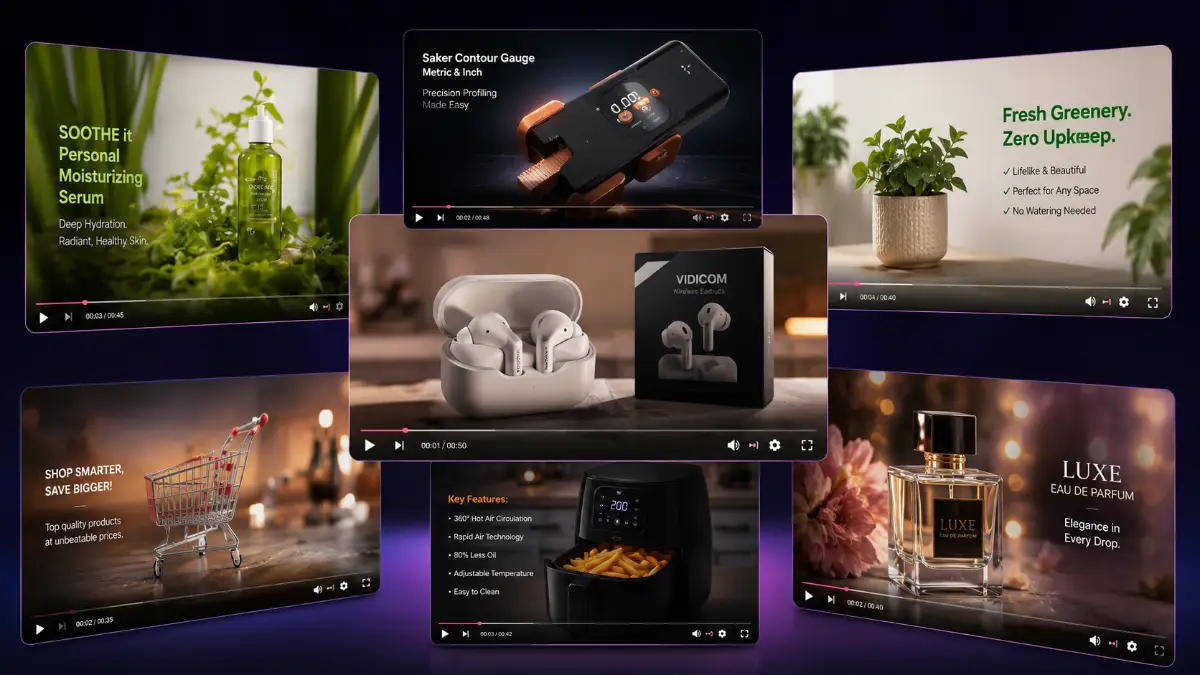
Vidicom is an AI-powered product video creation platform for eCommerce sellers, affiliate marketers, agencies, freelancers, and product creators who want to create promotional videos without traditional video editing or design work. It takes product details, images, and landing page information, then turns them into marketing videos, product demonstrations, listing videos, review-style content, and social clips.
The platform is designed for campaigns where the product is already known but the video asset does not exist yet. Instead of writing a script, building slides, collecting visuals, animating scenes, and formatting exports manually, users can give Vidicom the product context and let the AI build a finished starting point for YouTube, product listings, sales pages, Facebook, Instagram, TikTok, and other traffic channels.
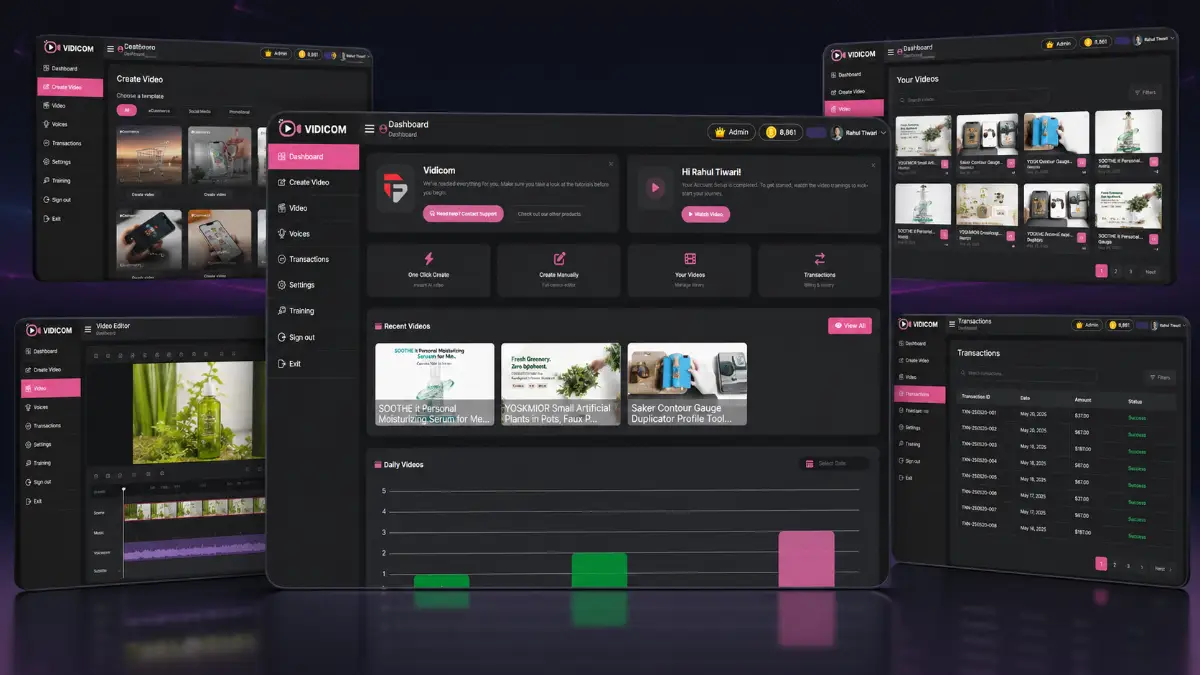
How it works (3 simple steps)
- Step 1 — Add your product details: Enter the product information, upload product images, or provide a product page URL so Vidicom can understand what is being promoted.
- Step 2 — Let the AI create your video: The platform generates the script, selects a marketing angle, builds the visual flow, adds animations, and shapes the video around the product audience.
- Step 3 — Export and publish: Review the finished video, make any needed adjustments, then export it for product listings, sales pages, YouTube, social media, or client campaigns.
See how Vidicom works
Step-by-step walkthrough from my YouTube channel.

Key features that matter
Vidicom is most interesting when you look at the product-marketing workflow rather than only the video output. It helps move from raw product information to multiple video assets that can be used for listings, demos, search content, social publishing, and client deliverables. That makes it practical for campaigns where speed, variety, and repeatable video production matter.
- AI product video creation: transform product information, images, and landing page content into professional marketing videos without editing, animation, or design skills.
- Product listing videos: create videos for eCommerce stores, marketplace listings, sales pages, and product pages where visual explanation can improve engagement.
- YouTube SEO and AEO videos: generate product-focused videos that can support searchable content strategies on YouTube and answer-driven discovery channels.
- AI product demonstrations: show how a product works, explain important features, and communicate benefits in a format shoppers can understand quickly.
- Multiple marketing angles: create feature-focused videos, benefit-led promotions, educational clips, review-style content, and product explainers for angle testing.
- AI-generated product endorsements: build spokesperson-style and endorsement-style videos that can make product messaging feel more direct and presentation-driven.
- Social media video creation: produce clips for YouTube, Facebook, Instagram, TikTok, and other channels where video is often needed to attract attention.
- Multi-niche compatibility: work across niches such as health and fitness, beauty, pets, smart devices, home decor, office products, kitchen products, baby products, and more.
- Geo-targeted video content: tailor content for different locations, languages, audiences, and demographics when campaigns need more localized messaging.
- Fast video production: generate complete product marketing videos in minutes instead of building every script, scene, and visual asset manually.
- Product page input workflow: use landing page or product page information as the source material for video creation.
- Image-based product videos: upload product visuals and let the AI build a more complete presentation around them.
- Campaign organization: manage multiple product video campaigns depending on the plan and usage level.
- Credit-based production: use included credits to generate videos, with extra credit options available for heavier usage.
- Beginner-friendly interface: create product videos through a guided workflow rather than a complex editor timeline.
- All AI models included on Pro: the Pro upgrade unlocks broader AI model access for users who need more advanced production options.
- Unlimited daily videos on Pro: remove the front-end daily video restriction for users producing more content at scale.
- Commercial license on Pro: create videos for clients and package product video creation as a service.
- Team access on Pro: collaborate with team members or agency partners on product video campaigns.
- Reseller option: the reseller upgrade allows users to sell Vidicom access and keep customer payments.
- Related video tools: Vidko Pro adds additional AI video engines, while LiveCaster 24/7 Pro supports pre-recorded livestream broadcasting.
Pros & Cons (realistic)
Pros
- Fast production path: Vidicom can turn product inputs into usable video assets much faster than a manual editing workflow.
- Strong fit for product marketers: eCommerce sellers, affiliates, and agencies can create videos for listings, demos, reviews, and social channels from the same product source.
- No editing skill requirement: beginners can create product videos without learning timelines, animation tools, transitions, or design software.
- Good angle-testing potential: multiple marketing approaches make it easier to test different messages around the same product.
- Pro supports client work: commercial rights, team access, higher limits, and more campaigns make the Pro upgrade more practical for service providers.
Cons
- Inputs affect output quality: weak product images, unclear benefits, or thin product descriptions can lead to weaker videos.
- AI claims need checking: scripts, endorsements, and product explanations should be reviewed for accuracy and compliance before publishing.
- Front-end limits are modest: five videos per day and four campaigns may be enough for testing, but not for serious agency volume.
- Manual polish may still be useful: advanced marketers may want to refine the final video, hook, CTA, or brand presentation outside the basic workflow.
My personal angle (how I’d use it)
- For affiliate campaigns: I would create one benefit-driven video, one review-style video, and one short demo clip for the same product, then compare which angle gets more clicks.
- For eCommerce listings: I would use product images and page details to create quick listing videos that explain the product faster than static copy alone.
- For YouTube traffic: I would build search-friendly product videos around buyer questions, comparisons, and practical use cases rather than generic promotional clips.
- For client services: I would package product video creation as a repeatable deliverable for stores, local brands, Amazon-style sellers, or niche product owners.
Bonuses
Vidicom becomes more useful when the software is paired with a clear video marketing process: choose a product, identify the strongest buyer angle, generate multiple video versions, publish across product pages and social channels, track response, and keep improving the hook and call-to-action. For the full Tool Review Central bonus list and delivery details, use the internal page below:
Bonus details
See what’s included and how delivery works after purchase.
Quick buying decision (what I’d pick)
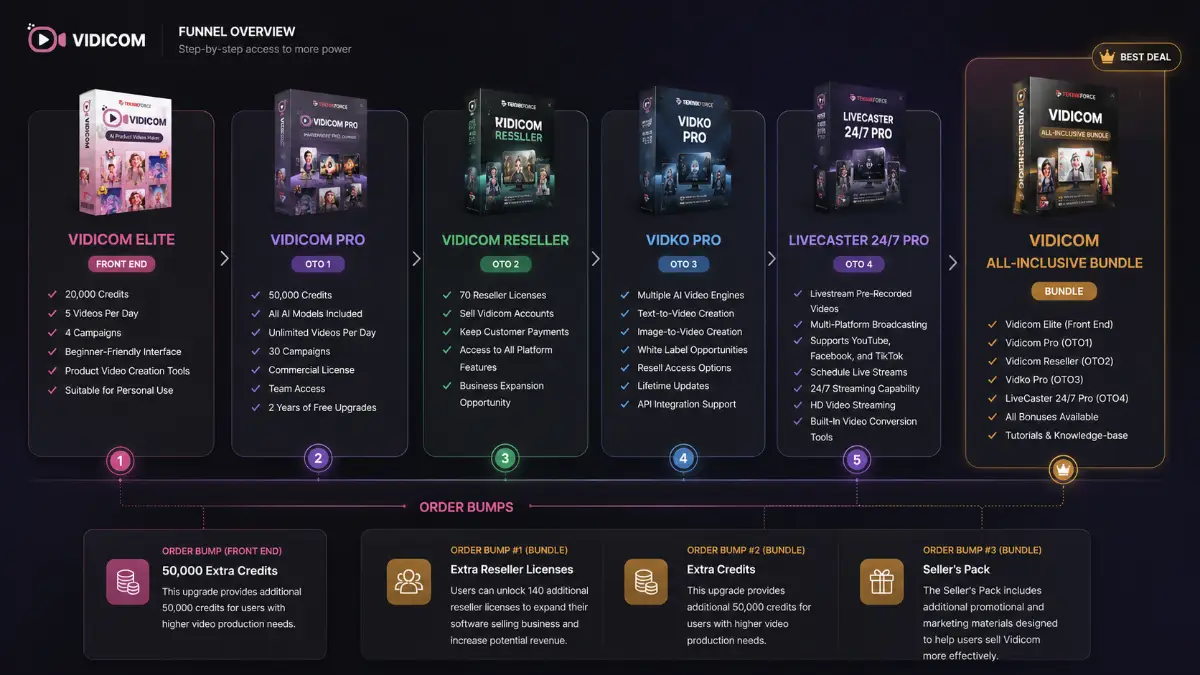
If I wanted the broadest practical setup, I would check the Vidicom All-Inclusive Bundle first because it includes Vidicom Elite, Vidicom Pro, Vidicom Reseller, Vidko Pro, LiveCaster 24/7 Pro, bonuses, tutorials, and the knowledge base together. The Front-End is the simplest way to test the product video workflow with 20,000 credits, five videos per day, four campaigns, and a beginner-friendly interface. Vidicom Pro is the upgrade I would consider for serious output because it adds 50,000 credits, all AI models, unlimited daily videos, 30 campaigns, commercial rights, team access, and two years of free upgrades. Vidicom Reseller makes sense for users who want to sell access. Vidko Pro adds a separate AI video platform with text-to-video and image-to-video tools, while LiveCaster 24/7 Pro is useful if you want to stream pre-recorded videos as live broadcasts.
Pricing & funnel breakdown
| Offer | Price | Best for |
|---|---|---|
| Bundle — Vidicom All-Inclusive Bundle | $237 | Best overall route for buyers who want the complete Vidicom stack together. Includes Vidicom Elite, Vidicom Pro, Vidicom Reseller, Vidko Pro, LiveCaster 24/7 Pro, all available bonuses, tutorials, and the knowledge base. Order bumps include Extra Reseller Licenses for $99, Extra Credits for $44, and Seller's Pack for $29. |
| Front-End — Vidicom Elite | $37 | Entry-level version for individual users, affiliate marketers, and small business owners who want to create product videos without technical skills. Includes 20,000 credits, 5 videos per day, 4 campaigns, a beginner-friendly interface, product video creation tools, and personal-use suitability. Order bump: 50,000 Extra Credits for $44. |
| Upsell 1 — Vidicom Pro | $67 | For professional marketers, agencies, and businesses that need more scale. Includes 50,000 credits, all AI models, unlimited videos per day, 30 campaigns, commercial license, team access, and 2 years of free upgrades. |
| Upsell 2 — Vidicom Reseller | $197 | For entrepreneurs and marketers who want to sell Vidicom access and keep the profits. Includes 70 reseller licenses, the ability to sell Vidicom accounts, customer payment retention, access to all platform features, and a business expansion path. |
| Upsell 3 — Vidko Pro | $67 | Separate AI video creation platform for users who want multiple AI video engines in one place. Includes text-to-video creation, image-to-video creation, white-label opportunities, resell access options, lifetime updates, and API integration support. |
| Upsell 4 — LiveCaster 24/7 Pro | $67 | For marketers who want to broadcast pre-recorded videos as live streams. Includes multi-platform broadcasting, support for YouTube, Facebook, and TikTok, scheduled live streams, 24/7 streaming capability, HD streaming, and built-in video conversion tools. |
Direct links (bundle first)
Open in a new tab. These are affiliate links.
FAQ
Is Vidicom only for eCommerce stores?
No. eCommerce sellers are a strong fit, but Vidicom can also be useful for affiliates, product creators, agencies, freelancers, local businesses, and marketers who need product-focused videos for listings, sales pages, YouTube, and social media.
Can beginners use Vidicom without editing experience?
Yes. The workflow is designed around product inputs rather than manual timeline editing. Users can add product information, upload images, or provide a product page URL, then let the AI create the script, visuals, animations, and video structure.
Which upgrade is most relevant for client work?
Vidicom Pro is the key upgrade for client work because it includes commercial rights, team access, higher credits, unlimited videos per day, more campaigns, and all AI models. Vidicom Reseller is a separate option for users who want to sell access to the software itself.
Do you have a bonus page?
Yes — bonus info is here: /vidicom-bonus/.
About the reviewer

Samuel Marco
I publish practical reviews of AI software and online business tools, focusing on real workflows, buyer use cases, monetization potential, pricing decisions, and whether a tool can realistically help someone save time, increase output, or package a service around it.
Final verdict
Vidicom is built for a specific and useful marketing bottleneck: creating product videos quickly enough to support listings, social posts, YouTube content, affiliate promotions, client campaigns, and product demonstrations without relying on a full editing workflow. It combines AI product video creation, product listing videos, YouTube SEO and AEO video generation, AI demonstrations, multiple marketing angles, AI-generated endorsements, social media video creation, multi-niche compatibility, geo-targeted content, fast production, commercial license support on Pro, team access, reseller options, and related tools through Vidko Pro and LiveCaster 24/7 Pro. The limitation is that AI can speed up video production, but it cannot replace accurate product information, good positioning, careful compliance review, and strong distribution. For eCommerce sellers, affiliates, creators, and agencies that need more product videos in less time, Vidicom has a clear role.
Want a faster way to create AI-powered product videos, demos, listing videos, YouTube content, and social media clips without video editing skills?
The Bundle gives the widest setup. Front-End is the easiest starting point. Pro raises usage limits and adds commercial rights, team access, all AI models, and unlimited daily videos. Reseller supports software access sales, Vidko Pro adds more AI video engines, and LiveCaster 24/7 Pro helps broadcast pre-recorded videos as livestreams.