What is Synthetic AI?
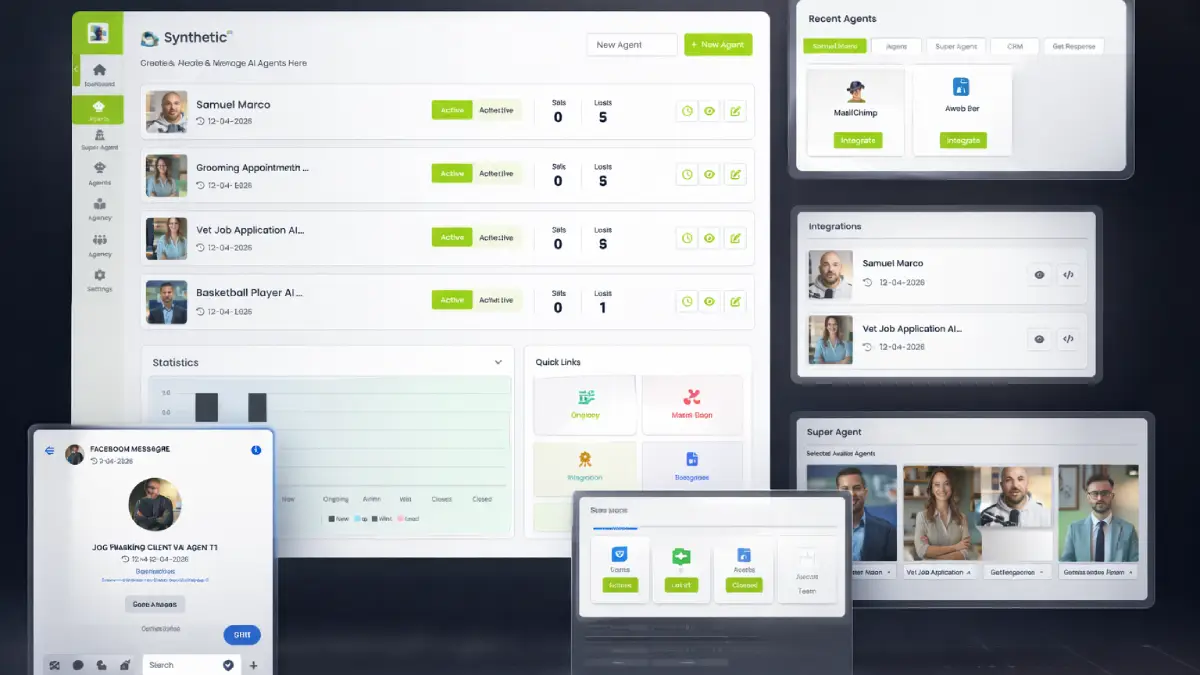
Synthetic AI is a chat automation platform that builds AI agents capable of answering leads in a way that feels more conversational than a rigid rule-based bot. You can train an agent with a website, uploaded material, or direct prompts, then publish it where attention already happens: Facebook Messenger, your own site, or a standalone chat link that can be shared in posts, ads, emails, or QR-based campaigns.
From a monetization perspective, that opens more than one lane. It can support lead capture for service businesses, pre-sale qualification for digital offers, support-style Q&A for creators, automated appointment flow for local businesses, and white-label automation services for agencies. The bigger story is not “AI can chat.” The real value is giving inbound traffic somewhere useful to go the moment a question appears, without waiting for manual replies or hiring extra staff just to keep inboxes warm.
How it works (3 simple steps)
- Step 1 — Create your AI agent from your business assets: The setup starts with the knowledge source. You can use a prompt, a site URL, or your own content to shape the initial agent. That means the first build is not coming from generic bot copy. It is anchored in your offer, messaging, FAQs, and positioning so the replies have a better shot at feeling commercially relevant.
- Step 2 — Train the behavior and connect the channels: After the core agent exists, you can tune the tone, voice, personality, and response logic, then connect the places where conversations need to happen. Messenger, website chat, and direct links give the platform a broader distribution model than a single-channel support widget.
- Step 3 — Launch the agent and let the system handle lead flow: Once live, the agent can answer questions, gather contact details, qualify intent, and push the conversation toward the next step. Those interactions are logged inside the built-in CRM, so the conversation is not just “handled” and forgotten. It becomes part of an ongoing pipeline that can be reviewed, segmented, and followed up later.
See how Synthetic AI works
Step-by-step walkthrough from my YouTube channel

Key features that matter
Synthetic AI becomes more interesting when you look at it as a business workflow instead of a novelty chatbot. The useful part is how it combines training, deployment, response handling, lead capture, and automation into one operating system for conversations that might otherwise sit unanswered.
- Human-like AI agents: the platform creates chat agents intended to sound more natural and brand-aligned, which matters because robotic replies often kill trust before a sales conversation really begins.
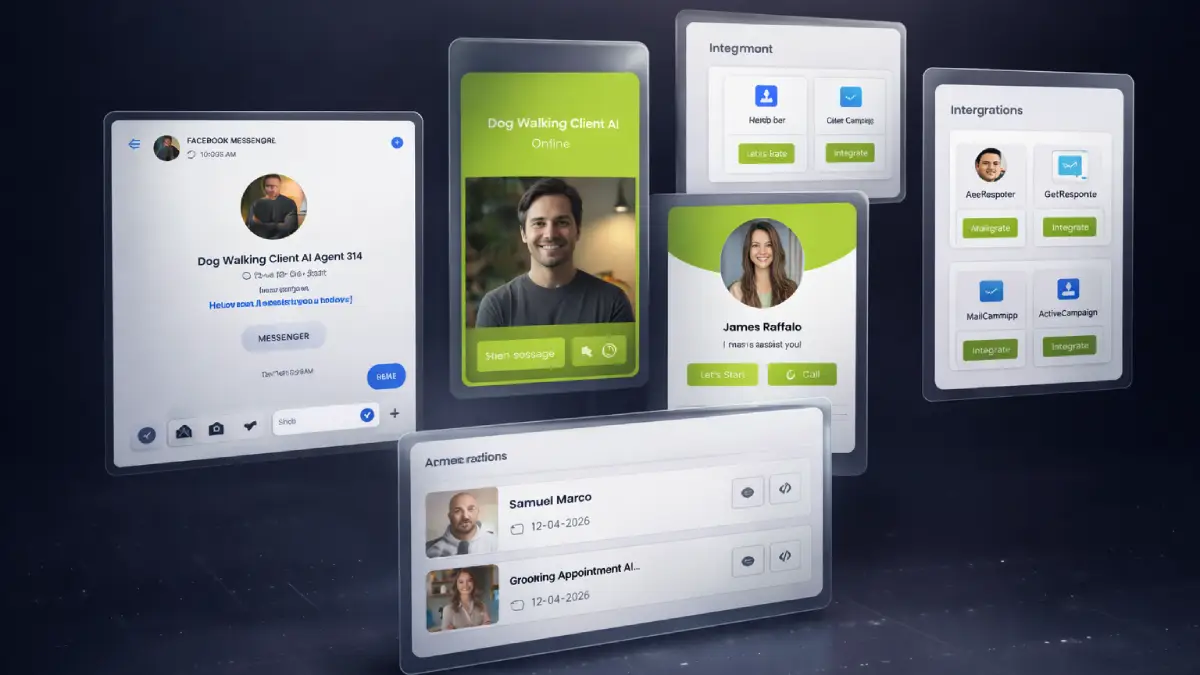
- Facebook Messenger automation: incoming Messenger leads can be answered instantly, giving campaigns, posts, and social traffic a faster response path than manual inbox management.
- Multi-platform deployment: one agent can be pushed across websites, Messenger, and shareable chat links, which helps distribution stay consistent across channels.
- Training with your own content: URLs, documents, and prompts can be used to shape the knowledge base, reducing the reliance on generic canned answers.
- Built-in smart CRM: conversations, leads, and follow-up data live inside one dashboard, which keeps chat activity tied to a usable sales process rather than isolated message threads.
- 24/7 response coverage: automatic replies mean prospects do not need to wait for business hours just to get basic buying questions answered.
- Super agent multi-role system: support, selling, onboarding, and closing behaviors can be blended into a broader AI assistant instead of forcing separate fragmented workflows.
- Lead capture and qualification tools: the system is built to collect user information and move conversations toward action, which is far more practical than treating AI chat as passive engagement only.
- Live chat plus AI hybrid mode: businesses can let automation do the heavy lifting while still stepping in manually when a higher-touch close is needed.
- Voice AI and personality control: tone and delivery can be adjusted so the interaction feels closer to the brand instead of sounding like generic software output.
- Done-for-you templates: niche templates speed up deployment for users who want faster execution across client accounts or repeated projects.
- Multi-language support: the platform can communicate with broader audiences, which matters for agencies and offers that do not live inside one language market.
- Real-time tracking: users can monitor engagement, conversations, and conversions, making it easier to refine what the AI says and where leads drop off.
- QR code chat access: offline and event-based promotion can route prospects directly into an AI conversation with less friction.
- Commercial license: the front end already supports client work, which gives freelancers and agencies a direct monetization angle from the start.
- No coding workflow: building and launching an agent does not depend on technical implementation, which expands the audience beyond developers and SaaS teams.
Pros & Cons (realistic)
Pros
- It targets a real conversion bottleneck: plenty of businesses can get attention, but they struggle to answer questions quickly enough to keep that attention commercially useful. Synthetic AI goes straight after that problem.
- Messenger support is strategically important: many reviews focus on websites only, but social inboxes are where a lot of warm leads actually appear first, especially for local and direct-response offers.
- The CRM angle adds practical depth: logging leads and conversations inside one system gives the tool more staying power than a simple chat widget.
- Commercial rights create a service opportunity: freelancers, automation consultants, and agencies can turn implementation into a paid deliverable instead of using the software only for their own projects.
- The funnel scales with ambition: users can start small, while bigger operators can move toward unlimited, automation-heavy, enterprise, or white-label agency setups.
Cons
- Good replies do not fix weak offers: AI can answer faster, but it cannot rescue poor positioning, confusing pricing, or an offer that already creates friction.
- Training quality matters a lot: the results will depend heavily on what content, prompts, and brand guidance the user provides. Bad source material usually produces mediocre conversations.
- Serious client work will likely push buyers toward upgrades: the front end covers the basics, but volume users and agencies will probably feel the draw toward Unlimited, Enterprise, Automation, or Agency quickly.
- Automation still needs oversight: even if the AI handles common questions well, businesses should still monitor live conversations, conversion points, and handoff moments to avoid sloppy customer experiences.
My personal angle (how I’d use it)
- For creator economy funnels: I would use Synthetic AI as the response layer sitting between content and conversion. When someone clicks from a post, ad, or bio link, the AI could answer offer questions immediately instead of relying on me to manually catch each message.
- For service business lead handling: this fits niches where people ask the same buying questions over and over before booking. Clinics, agencies, local services, coaches, and consultants could use it to reduce inbox drag and surface better-qualified leads faster.
- For selling automation as a productized service: the commercial angle is obvious. Building branded AI agents for clients, training them on real business content, and connecting them to Messenger or site chat could be packaged into setup fees plus monthly retainers.
- For distribution experiments: I like that the same conversation engine can be routed through Messenger, websites, and shareable chat links. That opens interesting tests for ads, QR codes, webinar registration, and lead magnets without rebuilding the conversation stack each time.
Bonuses
What interests me most here is whether the software can reduce response friction enough to help with real selling, follow-up, and client delivery instead of just producing another flashy AI demo. For the full bonus list and delivery details on Tool Review Central, use the internal page below:
Bonus details
See what’s included and how delivery works after purchase.
Quick buying decision (what I’d pick)
If I wanted the broadest version of the product without assembling the funnel piece by piece, I would lean toward the Synthetic AI Bundle because it wraps the front end together with Unlimited, Enterprise, Automation, and Agency, plus bonuses and training. The Front-End is the natural starting point for users who mainly need the main AI agent builder, Messenger automation, website deployment, CRM, templates, multilingual replies, and commercial rights. OTO1 Unlimited is for users who want to remove platform ceilings, OTO2 Enterprise adds deeper control and super-agent features, OTO3 Automation is the pipeline and follow-up layer for conversion-focused teams, OTO4 Agency is the white-label client-service expansion, and OTO5 Done-For-You is the shortcut for buyers who want the team to build the asset for them.
Pricing & funnel breakdown
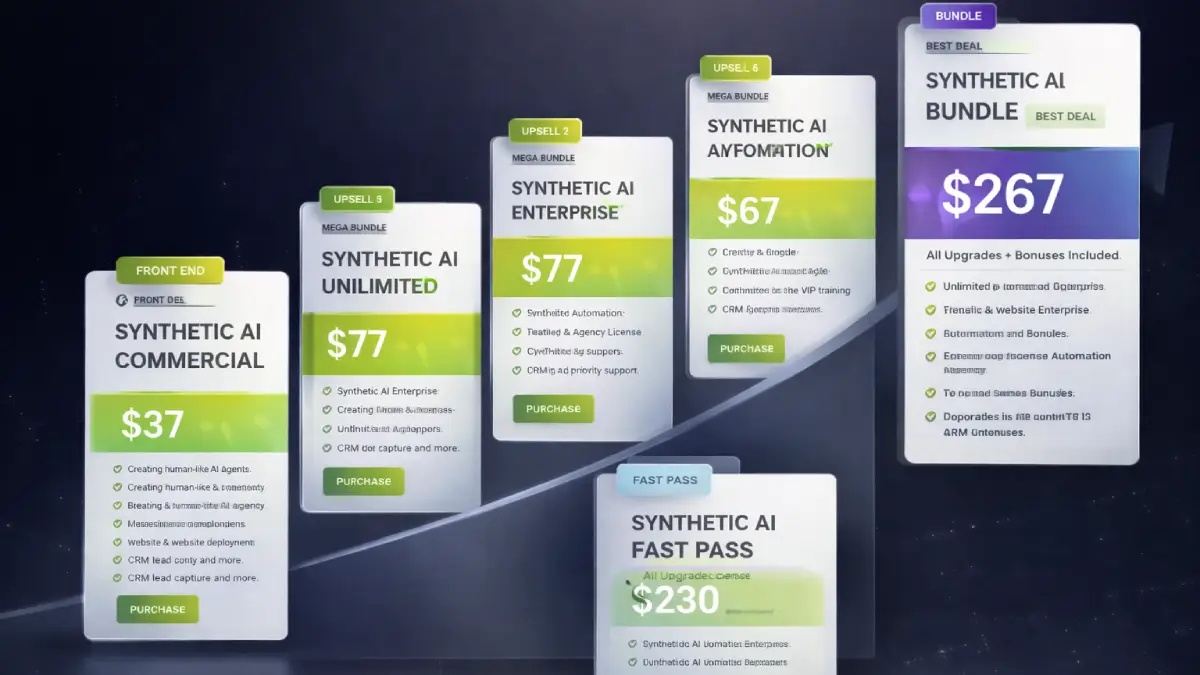
| Offer | Price | Best for |
|---|---|---|
| Bundle — Synthetic AI Bundle | $267 | Best overall value for buyers who already know they want the full commercial stack. Includes Synthetic AI Commercial, Unlimited, Enterprise, Automation, and Agency, plus bonuses, tutorials, and knowledge-base access. The bundle also notes a SAVE100 coupon, which makes it the strongest pick for users planning to build, scale, or sell AI chat systems seriously. |
| Mega Bundle — Synthetic AI Mega Bundle | $77 | A value-enhancement add-on for buyers who want extra tools, VIP training, premium support priority, a dedicated account manager, and additional implementation resources layered on top of their purchase. |
| Fast Pass — Synthetic AI Fast Pass | $230 | Useful for buyers who already own or plan to buy the front end and mainly want a quick route into the four major upgrades. Includes OTO1 Unlimited, OTO2 Enterprise, OTO3 Automation, and OTO4 Agency in one step, plus bonuses and training access. |
| Front-End — Synthetic AI Commercial | $37 | Core access for users who want to build human-like AI agents that respond to leads, capture data, and handle conversations across Messenger, websites, and shareable chat links. Includes the main AI engine, Messenger automation, CRM, live chat plus AI hybrid mode, training from your content, 2,000+ templates, analytics, multilingual support, and commercial rights. The launch notes an EARLY2 coupon for the front end. |
| OTO1 — Synthetic AI Unlimited | $77 | Best for users who want scale without platform ceilings. Adds unlimited agents, deployments, clients, projects, conversations, lead handling, more workspaces, premium voices, stronger branding control, and priority processing. |
| OTO2 — Synthetic AI Enterprise | $77 | Built for users who want more sophisticated behavior control, voice features, appointment tools, webinar automation, super-agent logic, CRM integrations, and deeper response customization. |
| OTO3 — Synthetic AI Automation | $67 | Ideal for buyers who care about pipelines and follow-up more than chat alone. Adds lead scoring, multi-channel inbox management, conversation memory, segmentation, re-engagement tools, collaboration, and 2000+ app integrations. |
| OTO4 — Synthetic AI Agency License | $77–$97 | The practical upgrade for consultants and agencies who want to white-label the platform, create unlimited client accounts, manage teams, use custom branding and domains, and sell higher-ticket AI services while keeping the revenue. |
| OTO5 — Synthetic AI Done For You | $147 | The shortcut option for buyers who want the team to handle setup, training, branding, CRM configuration, deployment, and conversation structure. Best for users who want the outcome fast without doing the implementation themselves. |
Direct links (bundle first)
Open in a new tab. These are affiliate links.
FAQ
Is Synthetic AI only for Facebook Messenger, or can it be used in other places too?
It is not limited to Messenger. The platform is designed to deploy AI agents across Facebook Messenger, websites, and shareable chat links, which gives users more flexibility for ads, landing pages, email traffic, and direct outreach.
Can beginners use Synthetic AI without coding or chatbot development experience?
Yes. The system is aimed at non-technical users. You train the agent with your content, adjust the response style, connect the channels you want, and launch from the dashboard rather than building a bot from scratch.
Who should seriously consider Unlimited, Enterprise, Automation, or Agency?
Unlimited fits buyers who do not want usage caps. Enterprise is for users who want more advanced agent behavior and voice-driven features. Automation suits teams that care about follow-up systems and lead movement inside a pipeline. Agency is the expansion path for client-service businesses that want white-label delivery.
Do you have a bonus page?
Yes — bonus info is here: /bonus/.
About the reviewer

Samuel Marco
I publish hands-on reviews of AI software and online business tools, with an emphasis on real implementation, monetization angles, workflow leverage, and whether a product can genuinely help someone respond faster, serve clients better, or build an offer around automation.
Final verdict
Synthetic AI is aimed at a highly practical problem in modern marketing: businesses can generate traffic, clicks, comments, and DMs, yet still fail to monetize that attention because the response system is too slow, too manual, or too inconsistent. By combining AI chat agents, Messenger automation, website deployment, CRM tracking, content-based training, and follow-up tools in one place, the platform gives users a way to convert inbound conversation into structured commercial activity. The wider funnel creates more room for scale, deeper automation, enterprise behavior control, white-label client delivery, and done-for-you implementation, which means the offer can fit solo marketers, local businesses, agencies, consultants, and creators at different stages. The larger question is not whether the software can send replies. It is whether the user has a real offer, real traffic, and a real sales process for those replies to support. For buyers who want an AI conversation layer built around lead handling, distribution, and monetization potential, Synthetic AI makes a strong case.
Want a faster way to turn Messenger leads, website visitors, and inbound questions into structured conversations that can capture data, qualify intent, and move prospects toward a sale?
The Bundle gives the broadest value. Front-End is the easiest entry point. Fast Pass is the quicker route to the main upgrades, Mega Bundle adds support and extra resources, OTO1 removes limits, OTO2 expands agent control, OTO3 strengthens pipeline automation, OTO4 opens the agency model, and OTO5 handles the setup for you.