What is QR Croc?
QR Croc is an AI-powered platform that helps users create visually striking, business-ready QR codes that do far more than link to a website. It combines AI design, advanced QR styling, landing pages, lead forms, digital business cards, menus, business profiles, payment links, and analytics inside one dashboard.
Instead of settling for generic codes that blend in, QR Croc is built to help you make QR experiences people actually want to scan — whether that means more leads, more local engagement, more payments, or a service you can sell to clients.
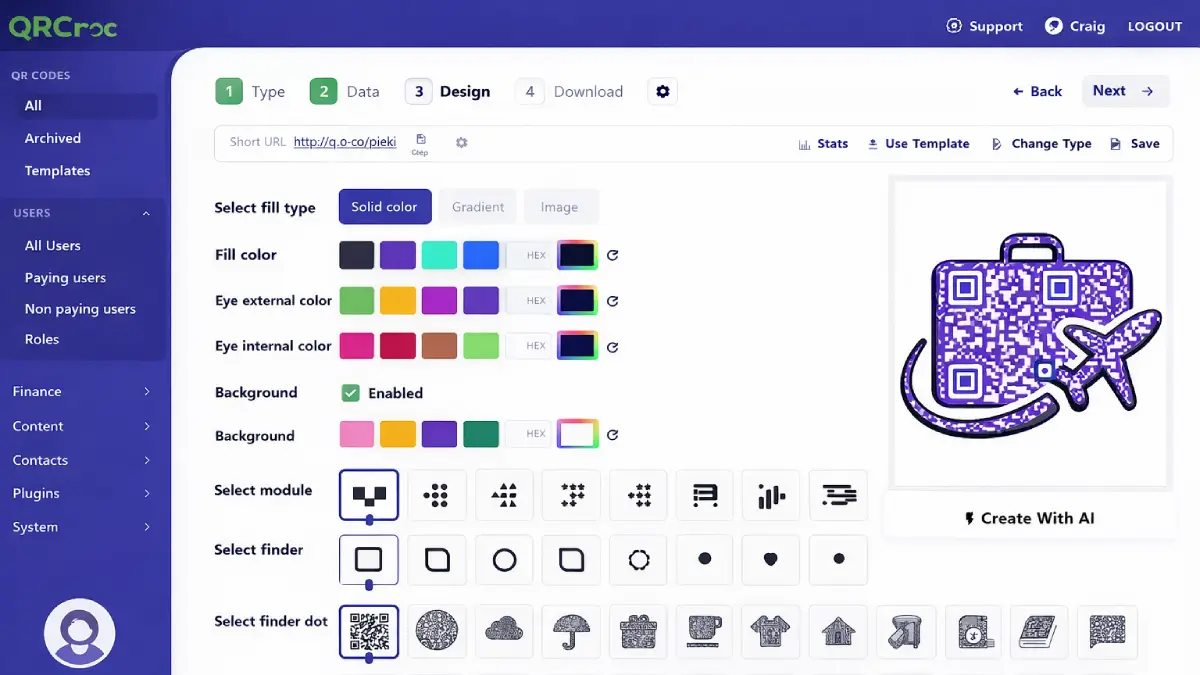
How it works (3 steps)
- Describe what you want: enter your business info, link, campaign goal, or content destination.
- Let the AI generate the QR: QR Croc creates a styled, branded, and functional QR code with shapes, visuals, colors, or page elements.
- Publish and profit: use the code on menus, business cards, posters, packaging, landing pages, social promotions, or client campaigns.
Discover how QR Croc works
Step-by-step walkthrough from my YouTube channel

Key features that matter
Here are the parts that really make QR Croc interesting — not just prettier QR codes, but more ways to capture attention, collect leads, and create sellable services.
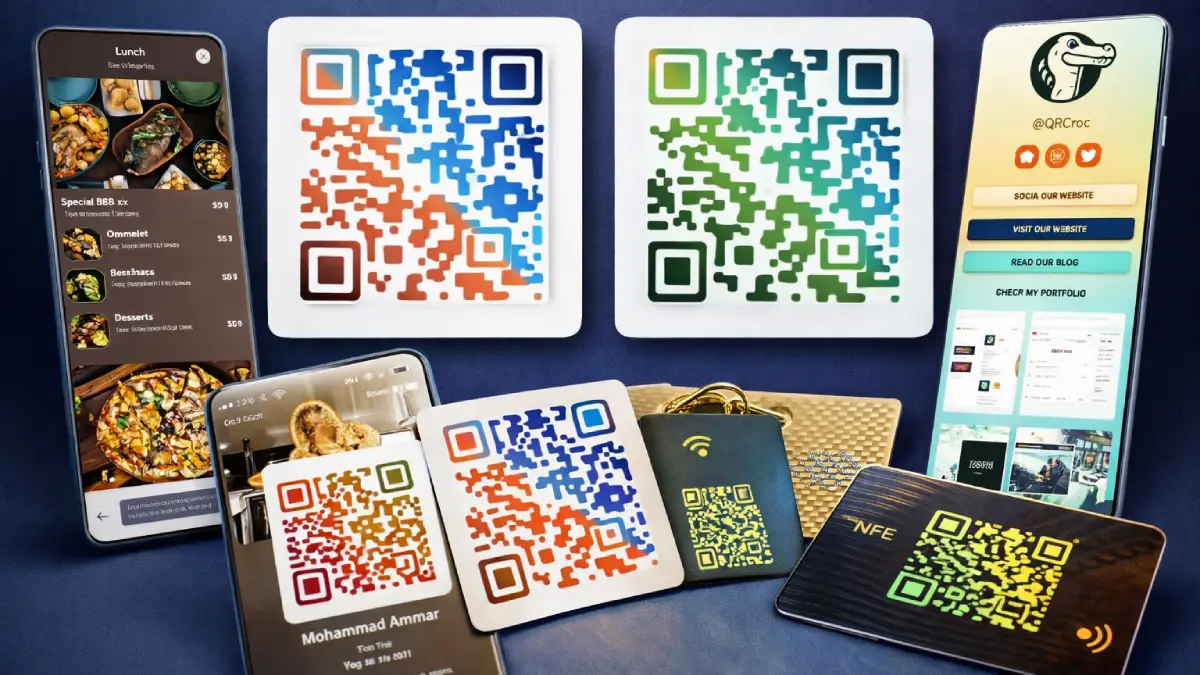
- AI-created artistic QR codes: generate image-based QR designs that still scan while looking far more interesting than standard codes.
- 50+ outlined shapes: create QR codes in visual shapes like coffee cups, shopping carts, pet paws, food icons, and more.
- 21 QR code types: includes vCards, menus, event pages, lead forms, payment QR codes, WhatsApp, Google Reviews, links, and more.
- Landing page and bio link builder: create mobile-optimized pages, mini-sites, or link hubs directly inside the platform.
- Lead forms built in: collect emails, phone numbers, and custom responses from real-world scans.
- vCard Plus: build digital business cards with social links, portfolio, contact options, and scan tracking.
- Restaurant menus: create editable menus with categories, ingredients, allergens, prices, and hours.
- Dynamic business profiles: launch business pages quickly using done-for-you templates for local businesses and service providers.
- Advanced gradients and 1400+ fonts: create branded QR labels and visual styling in many languages.
- Analytics and reporting: track scans, engagement, and usage data for real marketing feedback.
Pros & Cons (realistic)
Pros
- Stands out visually: a real upgrade from plain QR generators that all look the same.
- More than design: landing pages, menus, vCards, forms, and payments make it useful across many niches.
- Good agency potential: easy to imagine selling QR setup services to local businesses, events, restaurants, or creators.
- Built-in monetization paths: reseller, commerce, and physical-product angles make the funnel more practical than usual.
- Beginner-friendly concept: the offer is easy to understand because the end result is visual and immediate.
Cons
- Best results depend on usage: it is more valuable when you actually use QR codes in marketing, local business, print, packaging, or client work.
- Creative features can be overkill for simple users: if you only need a basic URL QR code, the platform may feel broader than necessary.
- Some upsells make more sense for sellers than casual users: not everyone needs reseller rights, commerce, or mass-product selling.
- Design still needs judgment: AI helps a lot, but stronger branding decisions will usually improve scan appeal and conversions.
My personal angle (how I’d use it)
- Local business offer: I’d package digital menus, Google review QR codes, business profiles, and lead forms as a simple monthly service.
- Event / creator toolkit: I’d use vCards, bio links, and branded QR pages for creators, consultants, coaches, or live events.
- Lead-gen asset: I’d create scan-to-offer or scan-to-form campaigns for flyers, packaging, point-of-sale displays, or direct mail.
- Physical product angle: with Commerce and Snappy Seller, I’d test QR-based stickers, NFC-style add-ons, or print-ready products on Etsy, Amazon, or locally.
Bonuses
I’m not listing bonuses here on purpose (to keep this page focused on the product review). If you want bonus access details and how delivery works on Tool Review Central, use the bonus info page:
Bonus details
See what’s included and how delivery works after purchase.
Quick buying decision (what I’d pick)
If you want the most complete setup and expect to use QR Croc seriously, I’d lean toward the higher-access path rather than staying limited. If you just want to test the core workflow, start with Front-End. If your goal is to remove limits, create more campaigns, sell services, or expand into resale and product-based offers, the upgrades can add real leverage.
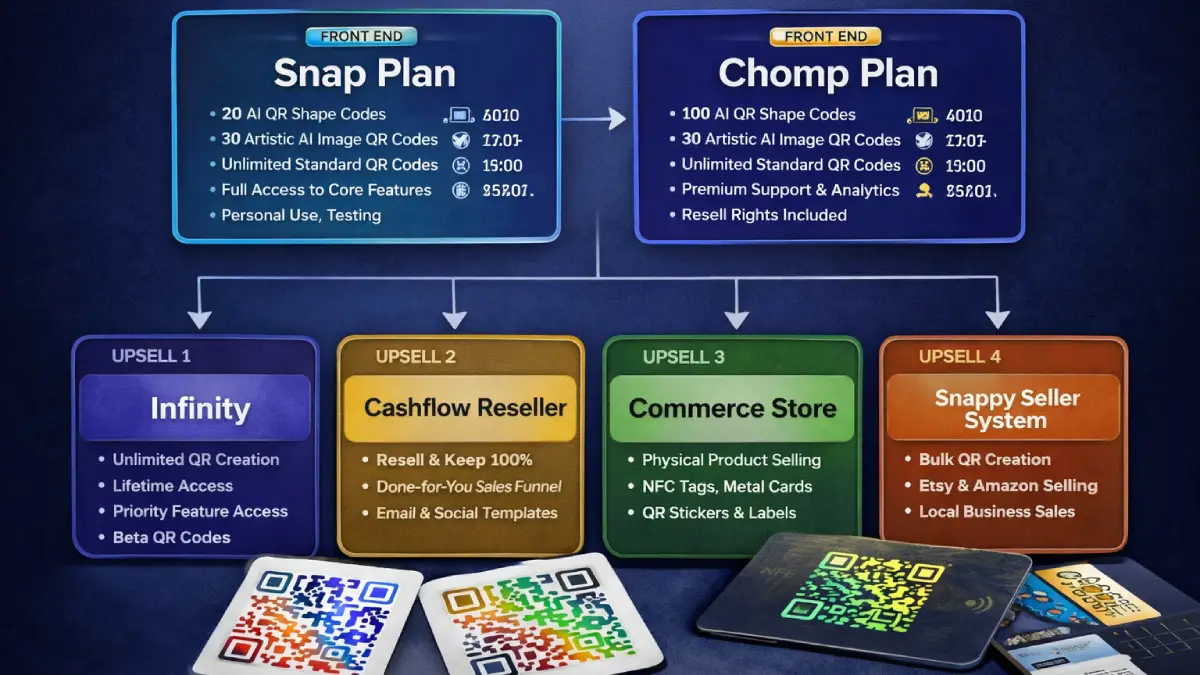
Pricing & funnel breakdown
| Offer | Price | Best for |
|---|---|---|
| Front-End — QR Croc Snap Plan | $37 | Best for creators, solo entrepreneurs, and testers who want 20 AI QR shape codes, 30 artistic AI image QR codes, unlimited standard QR codes, and full access to core features. |
| Front-End — QR Croc Chomp Plan | $47 | Best for agencies, marketers, and resellers who want 100 AI QR shape codes, 30 artistic AI image QR codes, unlimited standard QR codes, premium support, analytics, and resell rights + agency training. |
| OTO 1 — Infinity | $67 | Unlock unlimited AI QR generation, no limits on shapes or images, premium designs, priority access, and Beta Crew access for ongoing feature additions. |
| OTO 2 — Cashflow Reseller Unlimited License | $127 | Best for anyone who wants 100% commissions across the full funnel, using the vendor’s pages, support, and delivery while keeping the profits. |
| OTO 3 — Commerce Product Store | $97 | Best if you want to sell physical QR-related products like NFC tags, metal business cards, custom QR stickers, or labels with a built-in store and cart. |
| OTO 4 — Snappy Seller System | $47 | Best for sellers who want to mass-generate pre-printed QR products for Amazon, Etsy, craft fairs, or local offers without doing client work. |
Direct links
Open in a new tab. These are affiliate links.
FAQ
What makes QR Croc different from a standard QR code generator?
The core difference is that QR Croc focuses on visual engagement + business use cases. You are not just generating a plain code — you can create artistic QR designs, shaped QR codes, menus, digital business cards, business profiles, bio links, lead forms, and more.
Can I use QR Croc for local businesses and client work?
Yes. In fact, that is one of the strongest angles here. Restaurants, cafes, coaches, consultants, agencies, event organizers, and local businesses can all use branded QR experiences for real-world campaigns.
Is this just for digital marketing?
No. It can also be used for physical products and print use cases such as labels, stickers, packaging, cards, table displays, event signage, or commerce offers.
Do you have a bonus page?
Yes — bonus info is here: /bonus/.
About the reviewer

Samuel Marco
I publish hands-on reviews of AI software and online business tools, with a focus on real funnels, monetization paths, and what actually matters when you try to scale. My goal is to help you decide fast and choose tools that can produce real-world results.
Final verdict
QR Croc is best viewed as a creative QR marketing platform rather than a simple utility. The real value is in helping users create more noticeable QR experiences, connect them to lead-gen or sales assets, and even open agency, reseller, or physical-product opportunities. If you only need basic QR links, it may be more tool than you need. But if you want design, business use cases, and monetization angles inside one platform, QR Croc looks like a strong offer.
Ready to turn QR scans into leads, sales, and client offers?
Front-End is the starter option. Infinity and the reseller-focused upsells make more sense if you want to scale.