What is Odin AI?
Odin AI is a desktop AI assistant that runs directly on your computer and helps complete everyday work across apps, websites, documents, files, and browser-based tasks. Rather than asking you to describe every detail manually, it can read the context of what is visible on your screen and use that context to guide or execute the next steps.
The software is built around three working styles. Guide Mode helps you complete a task yourself with visual instructions. Act Mode gives Odin permission to click, type, navigate, and perform actions while you watch. Background Agent Mode lets you assign a task and continue with something else while Odin works through the workflow. That combination makes it less like a standard prompt tool and more like a computer-side operator for routine work.
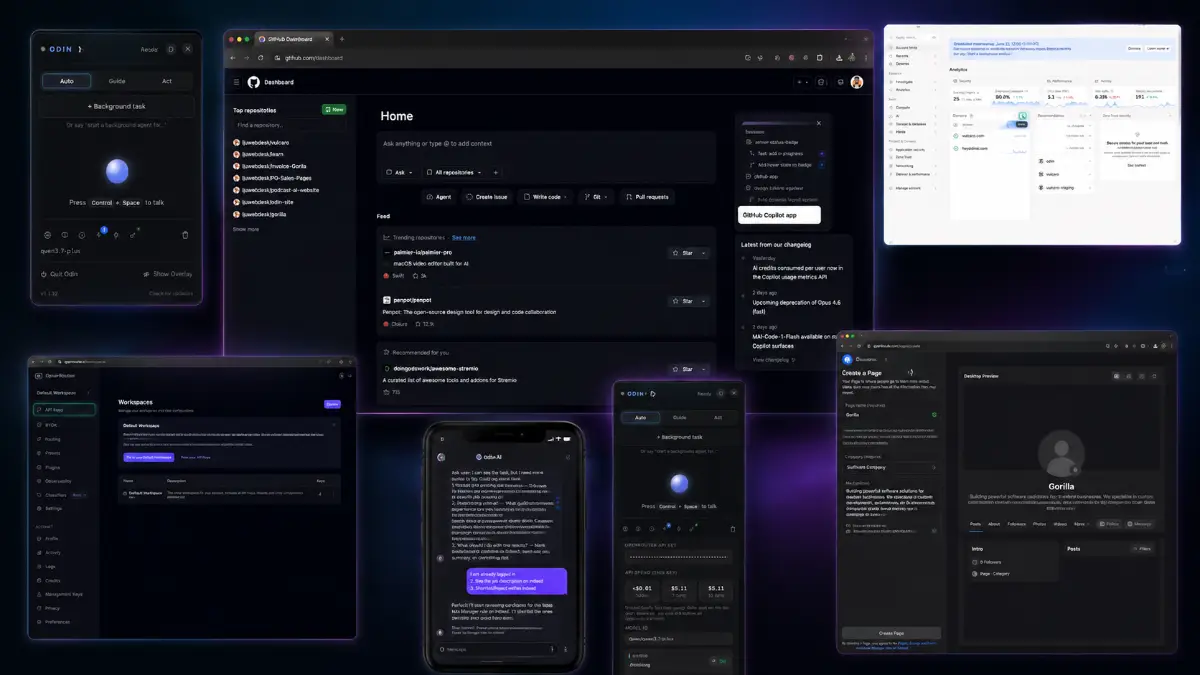
How it works (4 simple steps)
- Step 1 — Activate Odin AI: Launch the desktop app and bring Odin into your current workspace with the assigned shortcut so it can understand what is visible on your screen.
- Step 2 — Describe the outcome: Explain the task in plain English, whether it is research, content creation, lead preparation, outreach support, file handling, or a business workflow from the Conquests library.
- Step 3 — Choose the working style: Use Guide Mode when you want instructions, Act Mode when you want Odin to perform the clicks and typing, or Background Agent Mode when you want the task delegated with less supervision.
- Step 4 — Review the finished work: Check the output, refine it if needed, and use the completed material as reports, content, research notes, outreach assets, lead lists, websites, or client deliverables.
See how Odin AI works
Step-by-step walkthrough from my YouTube channel.

Key features that matter
Odin AI becomes most useful when the task involves several small actions across your computer: understanding context, deciding the next step, opening the right page, typing into the right place, collecting information, and shaping the output into something usable. The value is in letting AI handle the mechanical parts while you stay in control of the direction.
- Screen awareness: Odin can analyze what is currently shown in your applications, browser tabs, documents, and software so you do not have to rebuild the full context manually.
- Guide Mode: visual instructions appear on-screen, pointing you to the exact buttons, menus, and actions needed to complete a task without giving Odin full control.
- Act Mode: Odin can operate the computer for you by clicking, typing, navigating websites, filling forms, and completing visible workflows while actions are shown in real time.
- Background Agent Mode: assign a task and allow Odin to continue working independently while you focus on a different priority.
- Telegram integration: send tasks from your phone, start automation remotely, and return to your computer to review the completed work.
- Multi-agent task execution: multiple specialized agents can divide work across research, planning, content, analysis, and execution rather than relying on a single assistant for everything.
- Ready-to-use Conquests: launch pre-built workflows for content creation, lead generation, competitor research, affiliate marketing, outreach campaigns, client work, website building, hiring, and SOP creation.
- Local desktop operation: Odin is designed to run on your own computer, giving you visibility into what is happening inside your real working environment.
- Voice interaction: natural voice responses make the experience more conversational and can reduce typing during task management.
- Web research and automation: use Odin for online research, competitor checks, market discovery, information gathering, content ideas, file downloads, and web-based workflows.
- Built-in safety controls: Odin can stop on command, pause when you take control, avoid passwords and payment details, and request confirmation before irreversible actions.
- One-click desktop installation: the front-end offer is built for quick setup on Windows and Mac without requiring a complicated technical configuration.
- Single-keystroke activation: bring Odin into a task quickly when you need help with the current screen or workflow.
- File handling support: Odin can assist with downloads and, in higher tiers, expanded file transfer through Telegram and broader file-based workflows.
- Commercial upgrade path: Pro Unlimited and Agency License expand usage for client work, multiple computers, larger task volume, and deployment across client machines.
- Client deployment potential: the Agency License adds up to 100 client seats, onboarding tools, dashboards, updates, and VIP support for service providers.
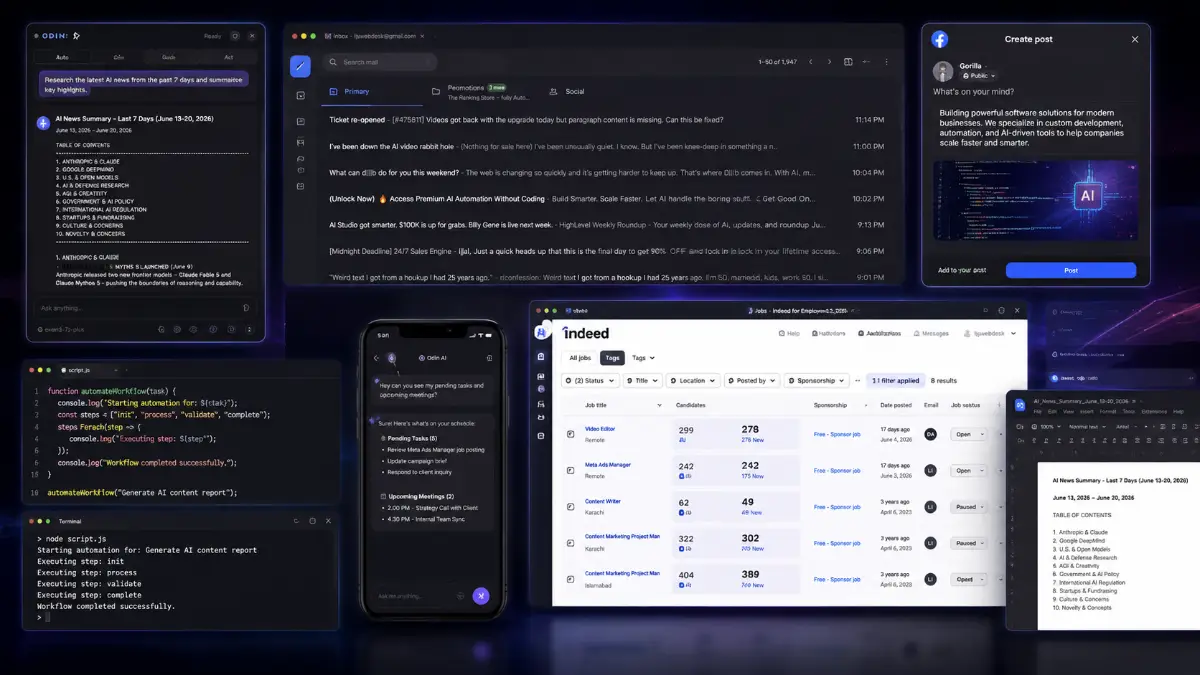
Pros & Cons (realistic)
Pros
- Works inside the real desktop: it can understand on-screen context instead of forcing the user to describe every tab, window, or document manually.
- Flexible control levels: Guide Mode, Act Mode, and Background Agent Mode give users a choice between learning, supervising, and delegating.
- Strong workflow coverage: Conquests make it easier to start with useful business tasks such as content, outreach, research, leads, client reporting, and website work.
- Remote task input is useful: Telegram integration makes Odin more practical when an idea or request comes up away from the desk.
- Agency path is clear: commercial use, client seats, onboarding tools, and deployment rights create a service-based angle beyond personal productivity.
Cons
- Desktop automation needs supervision: important tasks should still be checked because screen layouts, websites, files, and apps can behave unexpectedly.
- The front end has usage limits: Background Agent Mode and Telegram tasks are capped in the Personal plan, so heavy users may prefer Pro Unlimited or a bundle.
- Trust must be earned gradually: I would start with low-risk workflows before letting any desktop AI handle more valuable work.
- Local setup matters: performance and reliability can depend on the user’s computer, operating system, permissions, browser state, and installed apps.
My personal angle (how I’d use it)
- For research prep: I would use Odin to gather first-pass notes, competitor pages, market examples, and content angles, then review the sources before publishing anything.
- For client work: I would package repeatable Conquests around clear deliverables such as lead lists, reports, outreach drafts, content calendars, SOPs, or local business research.
- For learning software: Guide Mode looks valuable when a user wants help navigating a process without letting the AI take over the entire machine.
- For safe delegation: I would reserve Act Mode and Background Agent Mode for repetitive, reversible tasks first, then expand only after the workflow proves consistent.
Bonuses
Odin AI is easier to turn into a practical advantage when it is connected to repeatable work: choose a workflow, define the output, run a small test, review the result, improve the instruction, and then reuse the process for yourself or for clients. For the full Tool Review Central bonus list and delivery details, use the internal page below:
Bonus details
See what’s included and how delivery works after purchase.
Quick buying decision (what I’d pick)
If I wanted the widest Odin AI setup, I would compare the Gold Bundle first because it combines Odin AI Personal, Pro Unlimited, Conquest Pack, Agency License, up to 100 client seats, a 3-computer personal license, onboarding, training, unlimited task capacity, commercial and agency deployment rights, client management infrastructure, VIP support, and lifetime updates for agency users. The Silver Bundle is the cleaner middle option for users who want Personal, Pro Unlimited, the Conquest Pack, a 3-computer license, onboarding, training, unlimited tasks and expanded automation without the full client-seat agency layer. The Front-End is the simplest way to test the desktop AI concept. Pro Unlimited is the upgrade for volume and commercial usage, Conquest Pack is the workflow library, and Agency License is the client deployment route.
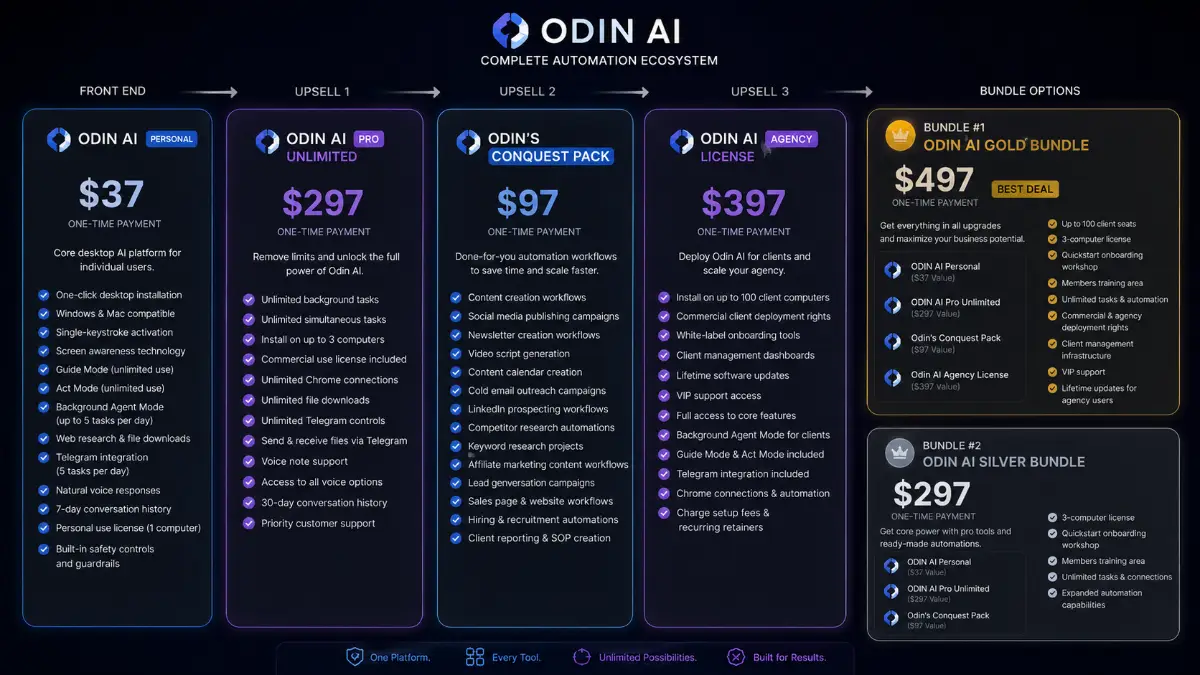
Pricing & funnel breakdown
| Offer | Price | Best for |
|---|---|---|
| Bundle #1 — Odin AI Gold Bundle | $497 | Best overall route for buyers who want the full Odin AI stack and agency deployment rights. Includes Odin AI Personal, Odin AI Pro Unlimited, Odin AI Conquest Pack, Odin AI Agency License, up to 100 client seats, 3-computer personal license, quickstart onboarding workshop, members training area, unlimited tasks and automation capabilities, commercial and agency deployment rights, client management infrastructure, VIP support, and lifetime updates for agency users. |
| Bundle #2 — Odin AI Silver Bundle | $297 | Best middle route for users who want the core platform plus major premium upgrades without the full agency client-seat package. Includes Odin AI Personal, Odin AI Pro Unlimited, Odin AI Conquest Pack, 3-computer personal license, quickstart onboarding workshop, members training area, unlimited tasks and connections, and expanded automation capabilities. |
| Front-End — Odin AI Personal | $37 | Main desktop AI platform for individual users. Includes one-click desktop installation, Windows and Mac compatibility, single-keystroke activation, screen awareness, unlimited Guide Mode, unlimited Act Mode, Background Agent Mode up to 5 tasks per day, web research, file downloads, Telegram integration up to 5 tasks per day, natural voice responses, 7-day conversation history, personal license for 1 computer, and built-in safety controls. |
| Upsell 1 — Odin AI Pro Unlimited | $297 | For power users who want fewer limits and commercial usage. Includes unlimited background tasks, unlimited simultaneous task execution, installation on up to 3 computers, commercial use license, unlimited Chrome connections, unlimited file downloads, unlimited Telegram controls, Telegram file sending and receiving, voice note support, all voice options, 30-day conversation history, and priority support. |
| Upsell 2 — Odin's Conquest Pack | $197 | For users who want ready-made workflows instead of building processes from scratch. Includes content creation workflows, social media publishing campaigns, newsletter workflows, video scripts, content calendars, cold email campaigns, LinkedIn prospecting, competitor research, keyword research, affiliate content workflows, lead generation campaigns, sales page and website building, hiring automations, client reporting, and SOP creation. |
| Upsell 3 — Odin AI Agency License | $397 | For agencies, consultants, and service providers deploying Odin AI for clients. Includes installation on up to 100 client computers, commercial client deployment rights, white-label onboarding tools, client management dashboards, lifetime software updates, VIP support, core Odin AI capabilities, Background Agent Mode, Guide Mode, Act Mode, Telegram integration, Chrome connections, automation tools, and the ability to charge setup fees or recurring retainers. |
Direct links (bundle first)
Open in a new tab. These are affiliate links.
FAQ
Is Odin AI just another chatbot?
No. Odin AI is built for desktop-side assistance. It can understand your screen, guide you visually, operate your computer in Act Mode, and run delegated tasks through Background Agent Mode instead of only writing answers in a chat window.
Can beginners use Odin AI?
Yes. Guide Mode is especially useful for beginners because it provides visual help without requiring full automation control. Users can start with guided steps, then move into Act Mode or Background Agent Mode when they are comfortable.
Which Odin AI upgrade is best for agencies?
The Agency License is the main client-service upgrade because it allows installation on up to 100 client computers, adds client deployment rights, white-label onboarding tools, dashboards, lifetime updates, and VIP support. The Gold Bundle includes this license alongside the other major upgrades.
Do you have a bonus page?
Yes — bonus info is here: /odin-ai-bonus/.
About the reviewer

Samuel Marco
I publish practical reviews of AI software and online business tools, focusing on real workflows, buyer use cases, monetization potential, pricing decisions, and whether a tool can realistically help someone save time, increase output, or package a service around it.
Final verdict
Odin AI is strongest when you look at it as a desktop execution assistant rather than a simple content generator. Its main advantage is the combination of screen awareness, local desktop operation, Guide Mode, Act Mode, Background Agent Mode, Telegram integration, multi-agent task execution, ready-to-use Conquests, voice interaction, web research, file downloads, and safety controls. The important caveat is that automation on a real computer should be introduced carefully: start with reversible tasks, review the output, and use the safety controls. For marketers, creators, freelancers, affiliates, agencies, consultants, and business owners who want help moving through everyday desktop and web workflows, Odin AI has a practical use case.
Want a desktop AI assistant that can see your screen, guide your actions, click, type, research, run workflows, and work locally on your computer?
The Gold Bundle gives the widest setup with agency rights and client seats. The Silver Bundle is the practical upgrade path without the full agency deployment layer. The Front-End is the easiest way to test Odin AI Personal. Pro Unlimited removes usage limits, Conquest Pack adds ready-made workflows, and Agency License supports client deployment.