What is KidsKDPAI?
KidsKDPAI is an AI publishing platform built for people who want to produce children’s ebooks and printable-style products without becoming a writer, illustrator, and layout designer all at once. Inside one dashboard, the software can assemble storybooks, puzzle books, activity books, coloring books, and early learning titles using generated text, graphics, formatting, and page structure.
The reason this is commercially interesting is that kids content lends itself to volume, variation, and niche targeting. A single concept can branch into alphabet practice, number learning, bedtime themes, mazes, tracing books, or animal-based education products. That makes KidsKDPAI relevant not only to self-publishers, but also to digital product sellers, creator-educators, Etsy shop owners, KDP experimenters, and freelancers packaging done-for-you book creation services.
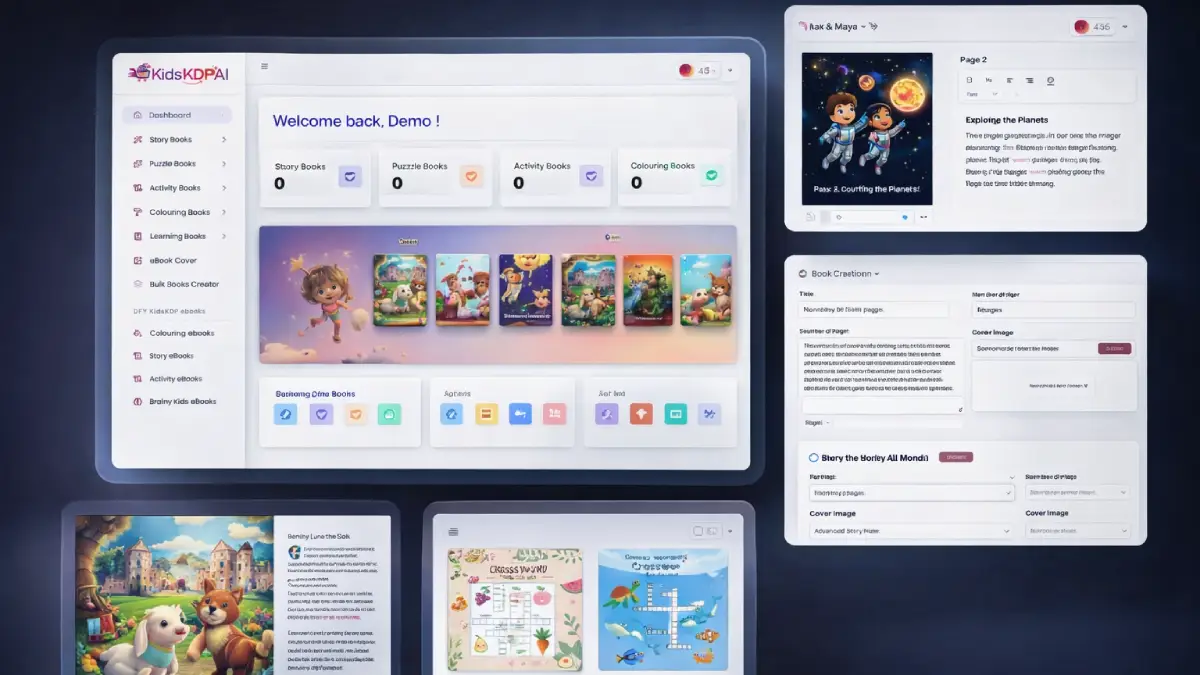
How it works (3 simple steps)
- Step 1 — Pick a book format and audience angle: You begin by deciding what kind of children’s product you want to build. That could be a bedtime story, a brain game collection, a tracing workbook, a coloring title, or a simple learning ebook. After that, you choose a niche such as animals, math, alphabets, educational activities, or other built-in themes so the project starts with a clear direction.
- Step 2 — Let the AI generate the draft package: Once the inputs are set, the platform creates the actual content stack for you. Stories, puzzles, page flow, visuals, and layouts are assembled automatically, which removes the usual need to juggle separate writing apps, design tools, and freelance marketplaces just to get a first version finished.
- Step 3 — Refine, export, and put it on the market: The built-in editor gives you the chance to tweak wording, organize pages, and tighten the final presentation before exporting. From there, the end product can be listed on Amazon KDP, Etsy, Gumroad, Shopify, or used as a downloadable educational resource for your own audience or client base.
See how KidsKDPAI works
Step-by-step walkthrough from my YouTube channel

Key features that matter
Plenty of tools can generate text or images in isolation, but that is not the same as shipping a finished kids product. What makes KidsKDPAI more useful is that it combines ideation, creation, editing, packaging, and selling intent in the same workflow. In other words, the value is not just automation; it is production speed tied to a monetizable output.
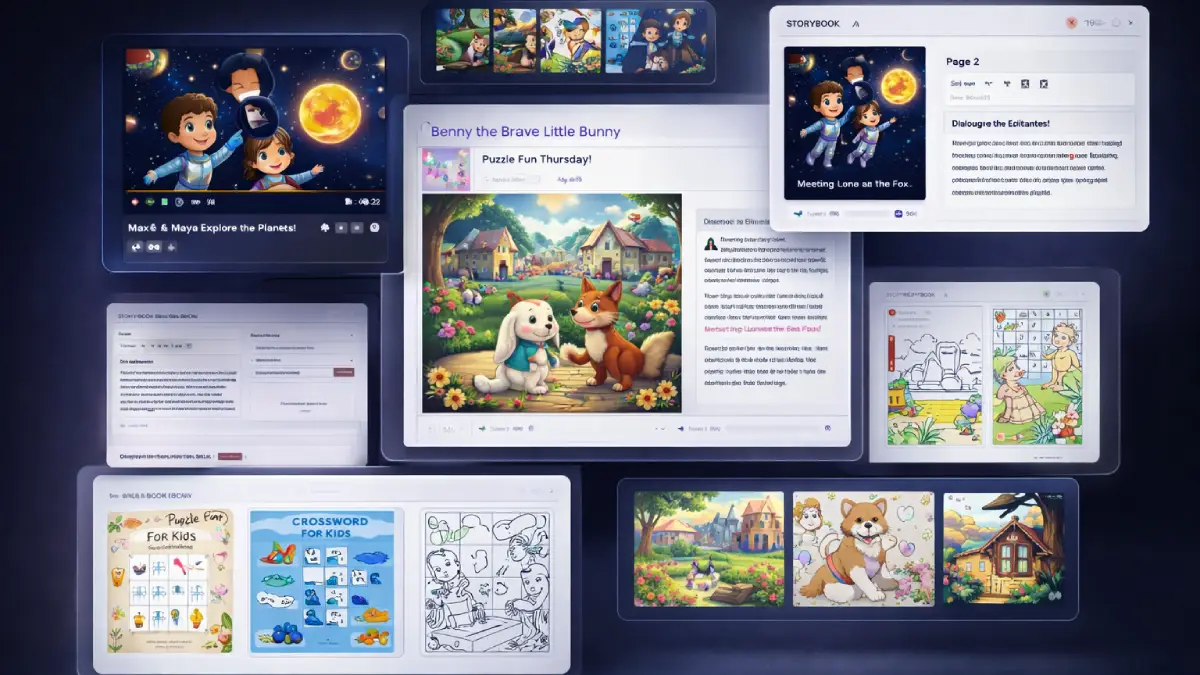
- Multiple kids book categories in one dashboard: the platform supports storybooks, puzzle books, coloring books, activity books, and early education titles, which makes it easier to test several product directions without buying separate tools.
- AI-generated content and visuals: copy, illustrations, page concepts, and activity elements are generated for you, reducing the need to write from scratch or outsource design work.
- Built-in editor for final adjustments: after generation, users can organize, tweak, and polish the book before export, which is important when preparing a sellable result rather than a rough concept draft.
- Ready-to-publish output: the system is positioned for platforms such as Amazon KDP, Etsy, Gumroad, Shopify, and other digital sales channels, so the end goal is clearly commercial.
- 20+ niches included: built-in themes such as animals, alphabet practice, math activities, bedtime stories, and brain games give users a faster starting point when planning listings or product bundles.
- Puzzle and activity generation: mazes, word searches, tracing pages, dot-to-dot sheets, and similar interactive pages can be created without manually building every piece.
- Learning book support: users can create educational titles covering handwriting, letters, numbers, and basic learning practice, which opens up teacher, homeschool, and parent-focused markets.
- Bulk creation angle: the platform is not limited to one-off projects; it also supports a faster publishing rhythm for users who want more than a single title in one niche.
- Cover creation inside the software: having an ebook cover creator inside the platform reduces another dependency and makes the workflow more self-contained.
- Commercial rights included: this matters because it expands the opportunity from “make books for yourself” into “sell the books, sell the files, or sell the service.”
- Multi-language support: users are not locked into a single language, which can widen market reach and support localized product ideas.
- No API keys or recurring fees: for beginners especially, avoiding extra setup costs and technical friction makes entry simpler and more predictable.
Pros & Cons (realistic)
Pros
- Strong shortcut into kids publishing: for users who are held back by writing and design, this removes a large portion of the production burden and gets ideas into book form much faster.
- Flexible monetization paths: books can be sold as KDP titles, Etsy downloads, learning resources, bundle offers, or used as the backend for freelance publishing services.
- Good fit for content multiplication: one niche can branch into several formats, which helps users turn a theme into multiple listings instead of relying on a single product.
- Beginner-friendly positioning: no API keys, no monthly fees, and a straightforward dashboard make the offer easier to approach than piecing together AI tools manually.
- Commercial rights increase practical value: the fact that users can sell outputs or provide services gives the software a clearer business case than hobby-only book generators.
Cons
- Publishing success still depends on positioning: the software can make production faster, but product titles, keywords, niches, and storefront strategy still influence whether the books actually sell.
- Children’s content needs quality control: even with AI assistance, it is smart to review language, age suitability, visual consistency, and puzzle accuracy before publishing.
- Front-end limits may feel tight for volume users: anyone planning a broader catalog or multiple niche launches will probably start looking at the higher tiers fairly quickly.
- Ease of creation can encourage low-differentiation output: users who mass-generate without editing or brand thinking may end up with books that feel generic rather than market-ready.
My personal angle (how I’d use it)
- For niche-based digital publishing: I would use KidsKDPAI to test small children’s content niches quickly, especially where a single theme can expand into several products such as a storybook, activity workbook, and puzzle companion.
- For low-ticket product ecosystems: beyond standalone books, I can see this working well for creators who want to bundle printable learning products, workbook add-ons, or themed educational packs into a broader digital storefront.
- For service offers to education markets: freelancers could package custom kids ebook creation for teachers, tutors, homeschool businesses, coaches, and local education brands that want content but do not want to build it themselves.
- For content repurposing: another practical angle is using the books as source material that feeds related assets such as flashcards, downloadable worksheets, simple story videos, or lead magnets for parenting and education audiences.
Bonuses
My focus on this page is the software itself, how it fits into kids publishing workflows, and which tier makes the most sense depending on whether you want simple entry, more scale, agency usage, or reseller rights. For the full bonus breakdown and delivery details on Tool Review Central, use the internal page below:
Bonus details
See what’s included and how delivery works after purchase.
Quick buying decision (what I’d pick)
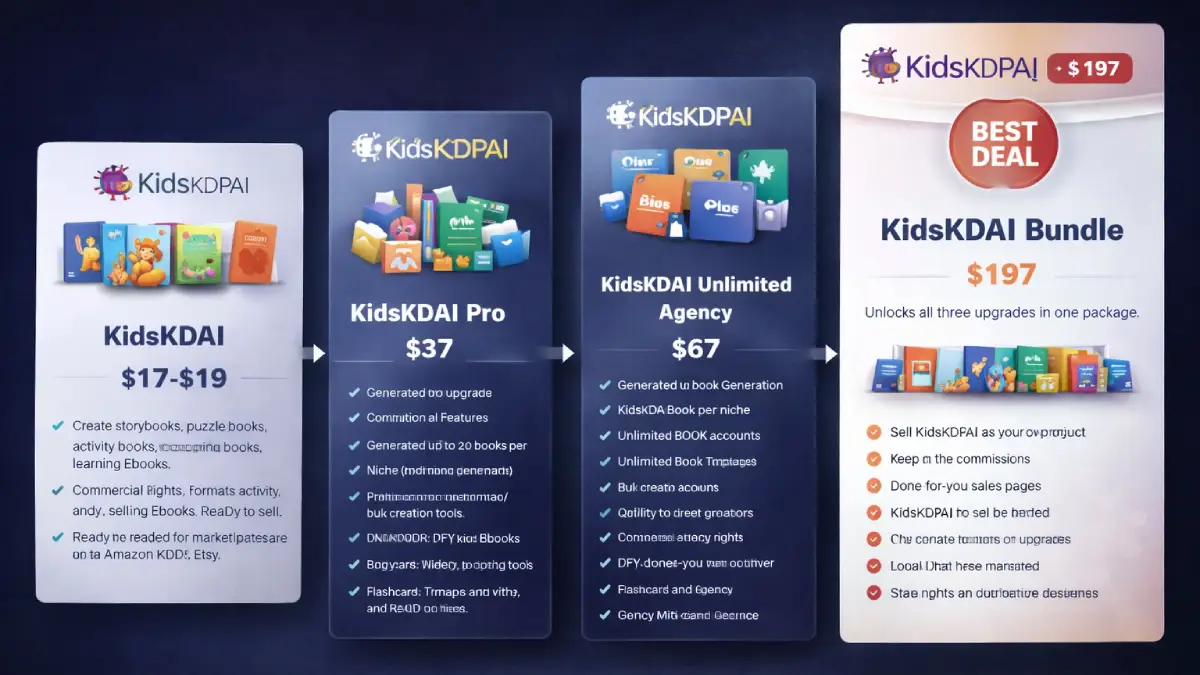
If my goal were to get the widest commercial flexibility in one checkout, I would lean toward the KidsKDPAI Bundle because it combines the front-end platform with Pro, Unlimited Agency, and Reseller access in one package. The Front-End is the easiest low-risk start if you mainly want the core generator for creating and exporting kids books. OTO1 Pro makes sense for users who want more output per niche, better templates, bulk creation, and extra done-for-you assets, OTO2 Unlimited Agency is the stronger fit for client work and service selling, and OTO3 Reseller is the play for buyers who want to market the software itself and keep the commissions rather than just use the tool internally.
Pricing & funnel breakdown
| Offer | Price | Best for |
|---|---|---|
| Bundle — KidsKDPAI Bundle | $197 | Best overall option for buyers who already know they want the full stack. Includes the front end, Pro Unlimited, Unlimited Agency, and Reseller upgrade in one package. It is the most complete path for users who want core creation, scaling tools, client-service potential, and resale rights together. Coupon noted on the sales side: KKDPAIB for $100 off the bundle. |
| Front-End — KidsKDPAI | $17–$19 | Entry-level access to the main platform. Includes creation of story books, puzzle books, activity books, coloring books, and learning ebooks, plus AI-generated content, layouts, illustrations, ready-to-publish formats, commercial rights, training, and no API requirement. Good for beginners testing the kids ebook market without committing to higher tiers immediately. Coupon noted on the sales side: KKDPAI for $5 off the front end. |
| OTO1 — KidsKDPAI Pro | $37 | Best for users who want more volume and more assets. Unlocks up to 20 ebooks per niche, bulk creation, faster rendering, premium cover templates, advanced puzzle and story modes, cover creation, and a library of done-for-you materials such as coloring books, activity books, story ebooks, flashcards, and rebrandable assets. |
| OTO2 — KidsKDPAI Unlimited Agency | $67 | Strongest fit for freelancers, gig sellers, and small agencies. Adds unlimited book generation, client account support, agency rights, proposal templates, and positioning for Fiverr, Upwork, Freelancer, schools, and teacher-focused services. |
| OTO3 — KidsKDPAI Reseller | $127 | Designed for buyers who want to sell the software itself instead of only using it. Includes reseller rights, done-for-you sales pages, the funnel, and the ability to keep 100% of the commissions without handling product development. |
Direct links (bundle first)
Open in a new tab. These are affiliate links.
FAQ
Is KidsKDPAI mainly for Amazon KDP, or can it work elsewhere too?
Amazon KDP is one obvious use case, but it is not the only one. The bigger opportunity is creating children’s content that can also be sold on Etsy, Gumroad, Shopify, direct storefronts, or packaged into educational bundles and client deliverables.
Can complete beginners use KidsKDPAI without design experience?
Yes. That is a major part of the offer. The software is built for people who want finished kids books without handling the heavy lifting of writing, designing page layouts, or creating illustrations from scratch.
Who should consider the Agency or Reseller upgrades?
Agency makes more sense for users who want to sell book-creation services to clients or manage multiple projects at scale. Reseller is the different play: that one is aimed at people who want to promote the software as their own offer and keep the revenue from the sales.
Do you have a bonus page?
Yes — bonus info is here: /bonus/.
About the reviewer

Samuel Marco
I publish hands-on reviews of AI software and online business tools, with an emphasis on practical workflows, monetization potential, and whether a product can realistically help someone produce more output, save time, or build a marketable service around it.
Final verdict
KidsKDPAI is built for a very specific outcome: helping users turn children’s content ideas into saleable digital products without getting buried under writing, illustration, and formatting work. By combining AI generation, multiple book categories, a built-in editor, ready-to-publish exports, niche flexibility, and commercial rights, the software creates a faster path from concept to finished asset. The broader funnel expands that base into higher output limits, done-for-you creative assets, agency-style service delivery, and reseller rights, which means the offer can serve several business models at once: self-publishing, Etsy-style digital sales, educational resources, freelance creation work, or software resale. The actual winner here will still be the user who brings a clear product angle, improves the finished material, and treats publishing like a business instead of pressing generate and hoping for the best. For buyers who want a beginner-friendly shortcut into kids ebook creation with real monetization potential, KidsKDPAI makes a solid case.
Want a faster way to create kids ebooks, educational activity books, and puzzle products that can be sold on KDP, Etsy, or through your own storefront?
The Bundle is the strongest overall value. Front-End is the easiest entry point. OTO1 expands output and assets, OTO2 opens the agency-service route, and OTO3 is the reseller play for buyers who want to sell the software itself.