What is Claw Brand AI?
Claw Brand AI is an AI brand mockup platform designed to transform a simple logo into finished visual assets that look presentation-ready across multiple formats. Instead of building each concept manually inside separate design tools, users can upload their logo, save brand details, choose a template or describe a scene, and let the system generate polished brand imagery with lighting, reflections, depth, and placement already handled.
From a business angle, the appeal stretches beyond “nice graphics.” This is useful for creator branding, ecommerce product presentation, social content production, launch assets, local business promotion, print-ready visuals, and agency fulfillment. In other words, it is less about replacing creative direction entirely and more about removing the repetitive production work that slows down output when you need a lot of branded visuals fast.
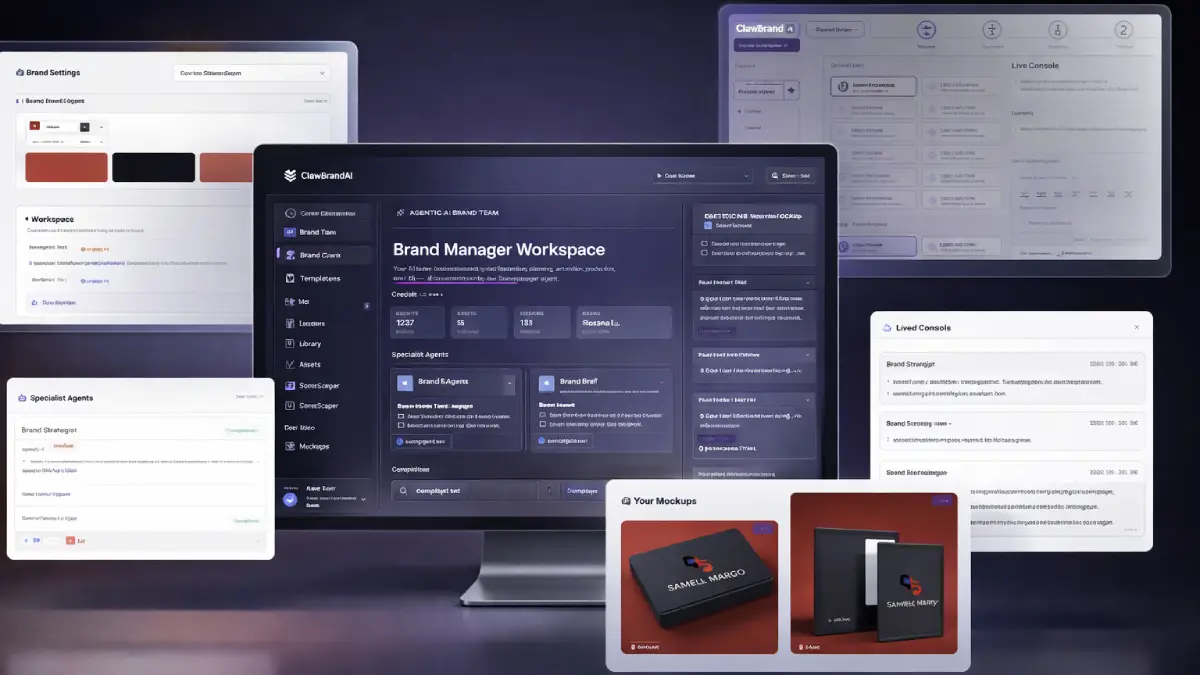
How it works (3 simple steps)
- Step 1 — Upload your logo and build your brand base: The first part is straightforward. You add your logo, brand colors, and optional tagline, and the platform stores those elements inside a reusable brand kit. That matters because future mockups are not treated like isolated jobs; the system already knows the visual identity it is meant to preserve.
- Step 2 — Pick a template or describe the visual direction: You can browse the built-in library of templates across categories such as digital, packaging, books, signage, lifestyle, and apparel, or point the AI toward a custom scene. This makes the workflow flexible enough for both quick-turn assets and more specific branded compositions.
- Step 3 — Generate, refine, and export: Once the mockup is created, you can adjust details such as shadows, reflections, gloss, gradients, and layout feel before exporting the final asset. The end result is a file ready for ads, landing pages, print materials, social promotions, or client decks without a long back-and-forth production cycle.
See how Claw Brand AI works
Step-by-step walkthrough from my YouTube channel

Key features that matter
What makes Claw Brand AI commercially interesting is not one isolated trick. The value comes from how the system connects brand memory, mockup creation, customization, storage, and export into one repeatable pipeline. That makes it useful for people who need a steady flow of branded material, not just one occasional image.
- AI-powered mockup generation: uploaded logos can be placed onto polished scenes with realistic lighting, shadows, reflections, and perspective, so the visual result feels closer to finished creative than a flat placeholder.
- ClawBrand Engine: the platform uses an agentic AI system to understand brand inputs and apply them more consistently, helping outputs feel connected instead of random from one asset to the next.
- 166 professional templates: users can work from ready-made templates spanning multiple categories, which speeds up production and reduces the need to compose every scene manually.
- Brand kit storage: logos, colors, and taglines are saved for later reuse, turning repeat projects into a faster process and reducing brand drift over time.
- Asset manager: uploaded design elements can be organized and reused, which becomes especially useful when producing content for multiple campaigns or clients.
- AI background removal: the built-in cleanup layer removes the need for extra tools when preparing source files for cleaner compositions.
- Full customization controls: details like gloss, embossing, reflections, gradients, aspect ratio, and depth can be tuned so visuals match different brand personalities and campaign contexts.
- High-resolution exports: finished assets can be downloaded for web and print use, which matters for users creating ads, presentation decks, landing pages, packaging, or promotional materials.
- Saved mockup library: generated visuals are stored inside a searchable library, making it easier to revisit, repurpose, and download earlier work.
- Fast 60-second workflow: the product is positioned around quick generation rather than long design sessions, which is one of its strongest business advantages.
- Commercial-use license: users can create sellable assets for their own brand or for clients, opening a direct service angle instead of limiting output to personal use only.
- Custom scene generation path: beyond templates, users can guide the AI toward more tailored compositions when they want something less standardized.
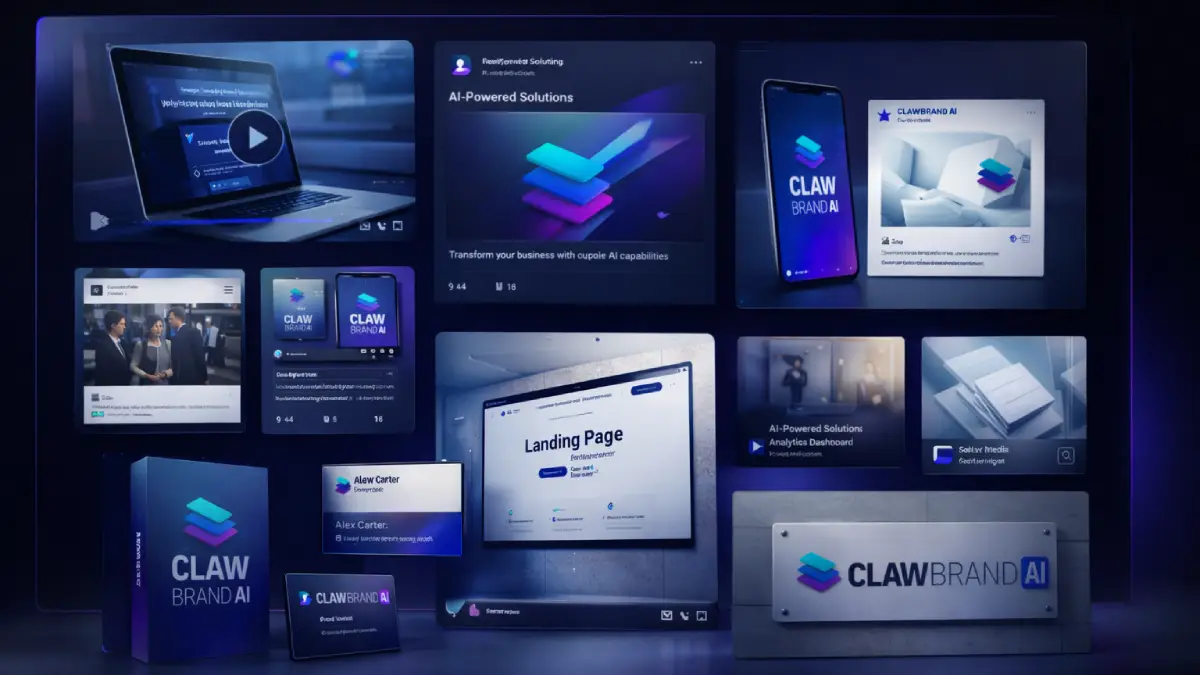
Pros & Cons (realistic)
Pros
- It solves a real production problem: many creators and businesses do not need endless design theory; they need usable brand visuals now, and this tool is clearly built around that urgency.
- The output range is broad: it is not locked into one niche use case, which makes it relevant for social content, ecommerce, promo graphics, apparel concepts, packaging, and presentations.
- Brand consistency is part of the system: saved colors, logos, and taglines help keep repeated output more coherent than one-off prompt-based image generation alone.
- Good fit for monetizable services: agencies, freelancers, and brand consultants can package mockup creation as a fast-turnaround deliverable instead of only using the tool for internal work.
- Commercial-use rights increase practicality: that matters because a strong-looking tool becomes far more useful when users can legally deploy the assets in paid work.
Cons
- It does not replace creative judgment: the platform can generate polished visuals, but the user still needs taste when choosing scenes, brand direction, and where each asset should be used.
- Template quality does not guarantee brand strategy: strong mockups help presentation, but they do not automatically fix weak positioning or unclear messaging.
- Heavy users may outgrow the front end quickly: anyone producing client work at volume or wanting premium scenes will probably feel the pull toward Professional, Agency, or the full bundle.
- Credit-based workflows require planning: if you are testing lots of variations or servicing multiple accounts, usage limits become more relevant than they are for casual users.
My personal angle (how I’d use it)
- For creator launches: I would use Claw Brand AI to turn a new offer or channel identity into a complete set of visuals quickly, especially for landing pages, social teasers, thumbnails, promo slides, and branded lead magnet assets.
- For agency packaging: this feels easy to position as a recurring creative support service for local brands, ecommerce stores, coaches, course sellers, or product creators who need better-looking branded materials on demand.
- For monetizing small design requests: many clients do not need a full brand overhaul; they just need repeated mockups for promos, offers, seasonal pushes, or client presentations. This tool fits that “fast asset production” lane well.
- For testing visual angles faster: instead of debating internally what a logo or offer should look like on packaging, apparel, signage, or ad creatives, I like the idea of generating multiple directions quickly and seeing which one feels most commercially usable.
Bonuses
My main interest here is not just whether the mockups look good in isolation, but whether the platform can speed up visual production enough to support launches, client work, recurring content, and monetizable service delivery. For the full bonus list and delivery details on Tool Review Central, use the internal page below:
Bonus details
See what’s included and how delivery works after purchase.
Quick buying decision (what I’d pick)
If I wanted the widest commercial setup without piecing upgrades together later, I would lean toward the Claw Brand AI Bundle because it combines the front end with Professional, Template Club, Agency, and Reseller in one purchase. The Front-End is the logical entry point for users who mainly want the core mockup engine, saved brand kit, standard template access, and export workflow. OTO1 Professional is the upgrade for users chasing higher-end scenes and better rendering options, OTO2 Template Club is the continuity layer for users who want fresh template inventory over time, OTO3 Agency is the practical move for service providers managing clients, and OTO4 Reseller is the expansion play for users who want to sell the software itself and keep the revenue.
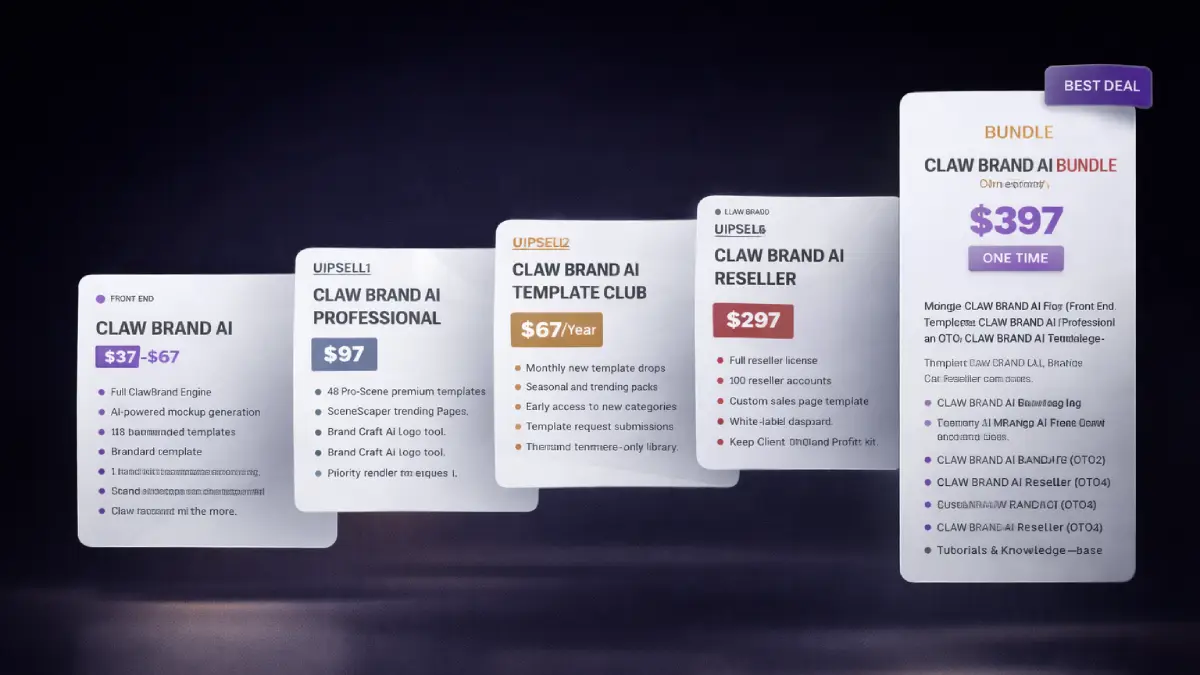
Pricing & funnel breakdown
| Offer | Price | Best for |
|---|---|---|
| Bundle — Claw Brand AI Bundle | $397 | Best overall choice for buyers who already know they want the entire stack. Includes Claw Brand AI, Professional, Template Club, Agency, and Reseller, plus bonuses, tutorials, and knowledge-base access. There is also an early coupon noted for the bundle, which makes it the strongest value for users thinking beyond casual use. |
| Front-End — Claw Brand AI | $37–$67 | Core access for users who want fast branded mockups without needing advanced design skills. Includes the ClawBrand Engine, AI mockup generation, 118 standard templates across 12 categories, brand kit storage, asset manager, saved mockup library, AI background removal, customization controls, high-resolution exports, 275 credits, and commercial use rights. |
| OTO1 — Claw Brand AI Professional | $97 | Best for users who want stronger visual quality and more creative flexibility. Adds 48 premium templates, SceneScaper AI for custom scenes, Brand Craft AI for logo creation, advanced AI image models, priority rendering, more controls, extra credits, and priority support. |
| OTO2 — Claw Brand AI Template Club | $67/year | Built for users who want their template library to keep growing. Includes monthly new template drops, seasonal packs, early access to new categories, request submissions, members-only template access, and additional monthly credits. |
| OTO3 — Claw Brand AI Agency | $197 | The natural upgrade for freelancers, studios, and agencies delivering mockups for clients. Adds unlimited client profiles, team access for up to 10 users, white-label exports, onboarding materials, pricing guidance, an agency stats dashboard, and a larger credit allocation. |
| OTO4 — Claw Brand AI Reseller | $297 | A broader business-model play for marketers and software sellers who want to sell Claw Brand AI as their own offer. Includes a reseller license, 100 reseller accounts, sales page template, dashboard, onboarding sequence, support docs, marketing kit, hosting, and priority provisioning while keeping 100% of profits. |
Direct links (bundle first)
Open in a new tab. These are affiliate links.
FAQ
Is Claw Brand AI only for logos, or can it support broader marketing visuals?
It goes further than placing a logo on a blank surface. The platform is built to generate brand-ready visuals across categories such as apparel, packaging, signage, digital promos, social media content, and presentation-style assets.
Can beginners use Claw Brand AI without traditional design software?
Yes. That is a large part of the appeal. The workflow focuses on uploading brand assets, choosing a template or scene direction, generating the mockup, and exporting the result rather than working through a full manual design process.
Who should seriously consider Professional, Agency, or Reseller?
Professional makes sense for users who want better scenes and more refined outputs. Agency fits freelancers and teams producing mockups for clients. Reseller is the bigger expansion for people who want to sell the software itself rather than only create visuals with it.
Do you have a bonus page?
Yes — bonus info is here: /bonus/.
About the reviewer

Samuel Marco
I publish hands-on reviews of AI software and online business tools, with an emphasis on practical workflows, monetization potential, and whether a product can realistically help someone produce more output, save time, or build a marketable service around it.
Final verdict
Claw Brand AI is aimed at a common and expensive friction point in digital business: the gap between having a brand and actually producing enough polished visuals to keep that brand visible everywhere it needs to appear. By combining AI-generated mockups, reusable brand inputs, asset storage, template variety, customization controls, and commercial exports inside one platform, it gives users a faster route to turning logos into usable sales and marketing assets. The broader funnel adds more room for premium scene quality, ongoing template expansion, agency delivery, and reseller-style monetization, which means the offer can work for solo creators, business owners, client service providers, and software-focused marketers at different levels. The bigger issue is not whether the software can generate mockups. It is whether the user has enough brand sense and commercial intention to use those visuals where they actually move attention, trust, and conversions. For buyers who want a practical AI branding tool with clear output and monetization potential, Claw Brand AI makes a strong case.
Want a faster way to turn a logo into polished brand visuals for social content, promotions, packaging, apparel, client work, and commercial campaigns?
The Bundle gives the broadest value. Front-End is the easiest starting point. OTO1 improves quality and custom scenes, OTO2 keeps the template library fresh, OTO3 supports agency delivery, and OTO4 opens the reseller model.