What is Cinemation?
Cinemation is an AI video production platform created for users who want more than quick visual snippets. The software is built to generate videos where characters remain recognizable from scene to scene, dialogue can carry the story forward, and the finished output can stretch into a format that actually works for tutorials, skits, explainer sequences, ads, and channel content.
From a business perspective, that makes it relevant far beyond entertainment. There is clear potential here for faceless YouTube publishing, niche storytelling channels, promo videos, educational content, digital brand campaigns, short-form repurposing, and client services. The strongest appeal is not just “AI makes a video,” but that the production pipeline can move from idea to structured content without relying on actors, cameras, or a traditional editing stack every single time.
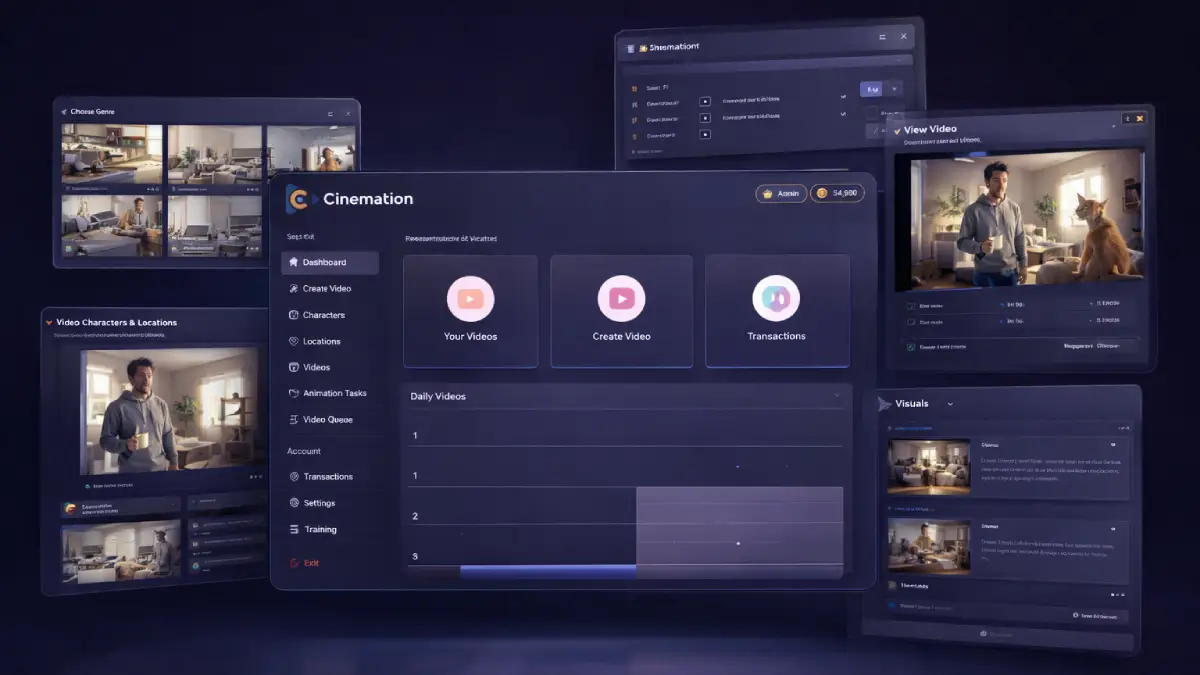
How it works (3 simple steps)
- Step 1 — Define the concept, characters, and script direction: You begin by describing the type of video you want to create, choosing the visual style, and setting up the people or characters that will carry the story. You can paste your own script, outline the concept, or let the AI develop the narrative and dialogue for you.
- Step 2 — Build scenes that connect instead of breaking continuity: Cinemation generates linked scenes where characters appear again, interact with each other, and move through the story with more consistency. This stage is where the software becomes more useful than ordinary clip tools because it handles sequences rather than isolated moments.
- Step 3 — Render the final video and publish it where attention lives: After the structure is in place, the platform renders the completed video for export. That output can then be used for YouTube uploads, short-form cutdowns, paid ads, story-based promotions, educational channels, or packaged client work.
See how Cinemation works
Step-by-step walkthrough from my YouTube channel

Key features that matter
The commercial value of Cinemation comes from how several pieces work together. Character memory, story generation, multi-scene assembly, style flexibility, and export options all feed the same goal: making video output more scalable. That matters to creators who publish often, teams who need campaign assets, and freelancers who want a service that does not collapse under revision requests.
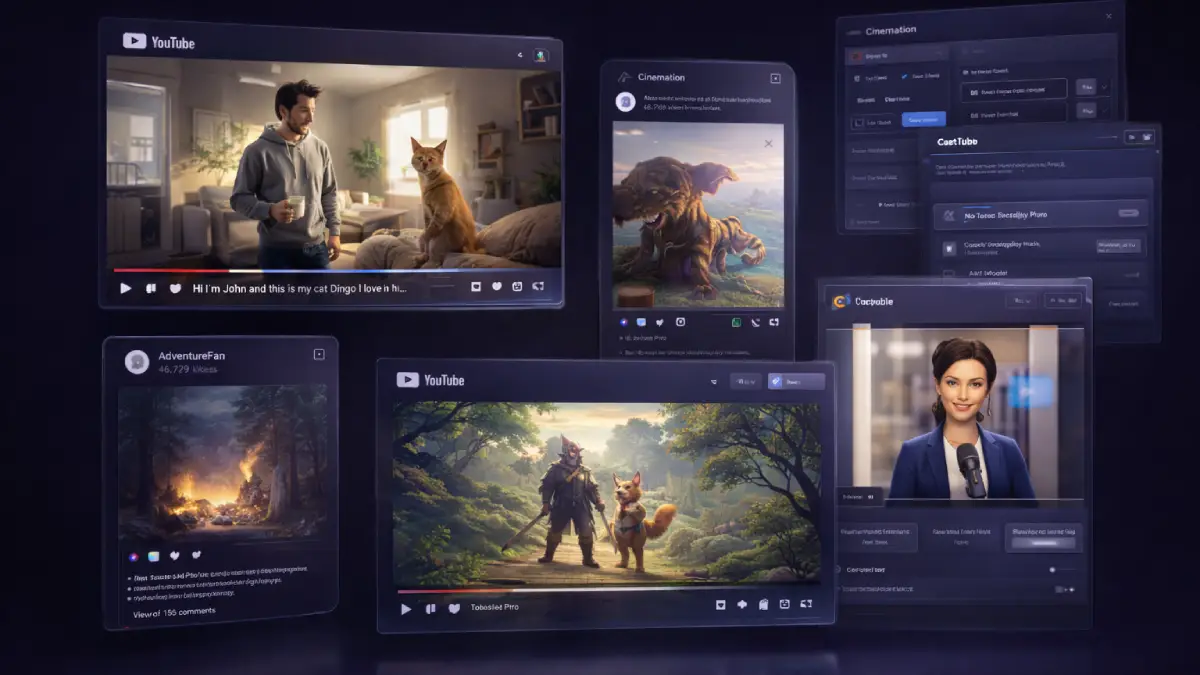
- Consistent AI characters: characters can stay visually aligned across multiple scenes and longer videos, which is one of the most useful things for serial content, narrative ads, training material, and brand storytelling.
- Long-form video creation: the platform is designed for outputs that go far beyond a few seconds, opening the door to longer explainers, stories, mini-movies, tutorials, and recurring episodes.
- AI script and story generator: you can start with a loose idea, a full script, or a rough concept and let the system help build structure, dialogue, and scene flow.
- Multiple video styles: users can create 2D animation, 3D animation, cinematic footage, and more realistic-looking scenes, giving the tool flexibility across many niches and content tones.
- Character interaction and dialogue: videos are not limited to passive visuals, because the platform supports characters talking, moving, and interacting in ways that help hold attention.
- Scene and story builder: instead of exporting random fragments, Cinemation connects environments, moments, and transitions into a more complete sequence.
- Social media content creation: videos can be adapted for YouTube, TikTok, Instagram, and other distribution channels, which is important for repurposing and platform-specific publishing.
- Multi-niche flexibility: users can produce content around finance, motivation, gaming, travel, education, health, entertainment, and more without needing separate apps for every niche angle.
- AI-powered production workflow: visuals, scenes, characters, and story direction are generated inside the same system, reducing the need for outside tools and manual assembly.
- Monetization and client-readiness: the platform is positioned for people who want to sell video creation as a service, publish monetized channels, or build content-based digital brands.
- No filming requirement: the workflow avoids cameras, actors, and large production logistics, which can be a major advantage for solo operators and fast-moving teams.
- Content volume potential: for creators thinking in terms of output velocity, the combination of automation and reusable AI workflows can meaningfully compress production time.
Pros & Cons (realistic)
Pros
- It addresses a more serious video bottleneck: many tools can generate visuals, but fewer can support a repeatable publishing workflow with recognizable characters and connected scenes.
- The monetization angle is obvious: this can be used for faceless channels, storytelling brands, client deliverables, promo packages, and content services instead of only hobby experimentation.
- Longer outputs increase practical use: being able to work toward longer videos makes the platform more relevant for education, YouTube growth, VSL-style content, and episodic formats.
- Style variety broadens market fit: animation, cinematic content, and more realistic scenes allow users to test different audience angles without rebuilding their workflow from scratch.
- Automation reduces production drag: concept generation, scripting, scene building, and rendering all happening in one place can save a lot of time for small operators.
Cons
- Better tooling does not equal better storytelling: users still need a sense of pacing, topic selection, audience intent, and narrative structure if they want videos that actually perform.
- Credit limits matter fast: anyone testing many concepts or producing for multiple channels will feel usage restrictions more quickly than casual users.
- The front end is a starting tier: creators chasing longer outputs, HD exports, commercial licensing, or unrestricted production will probably look at Pro or above.
- Distribution still needs a plan: generating content is only part of the equation; ranking, packaging, hooks, thumbnails, and audience targeting still determine reach.
My personal angle (how I’d use it)
- For building a scalable faceless content engine: I would look at Cinemation as a way to publish repeatable story-driven videos across one or more niches without relying on stock footage for everything.
- For channel testing and concept validation: instead of spending days producing one pilot idea, I would use it to create multiple content directions quickly and see which themes deserve a real publishing push.
- For service offers with higher perceived value: many clients respond better to character-led explainers, narrative promos, and cinematic content than to basic slideshow-style videos. That creates a better pricing angle.
- For distribution repurposing: a long-form core video can become short clips, teasers, hooks, and platform-specific cutdowns, which makes one production cycle more useful across multiple channels.
Bonuses
What interests me most is whether the software can help users move from idea generation into actual publishing consistency. If the workflow reduces the time needed to produce narrative content, then the value is not only in the visuals but in the extra output and distribution opportunities that follow. For the full bonus list and delivery details on Tool Review Central, use the internal page below:
Bonus details
See what’s included and how delivery works after purchase.
Quick buying decision (what I’d pick)
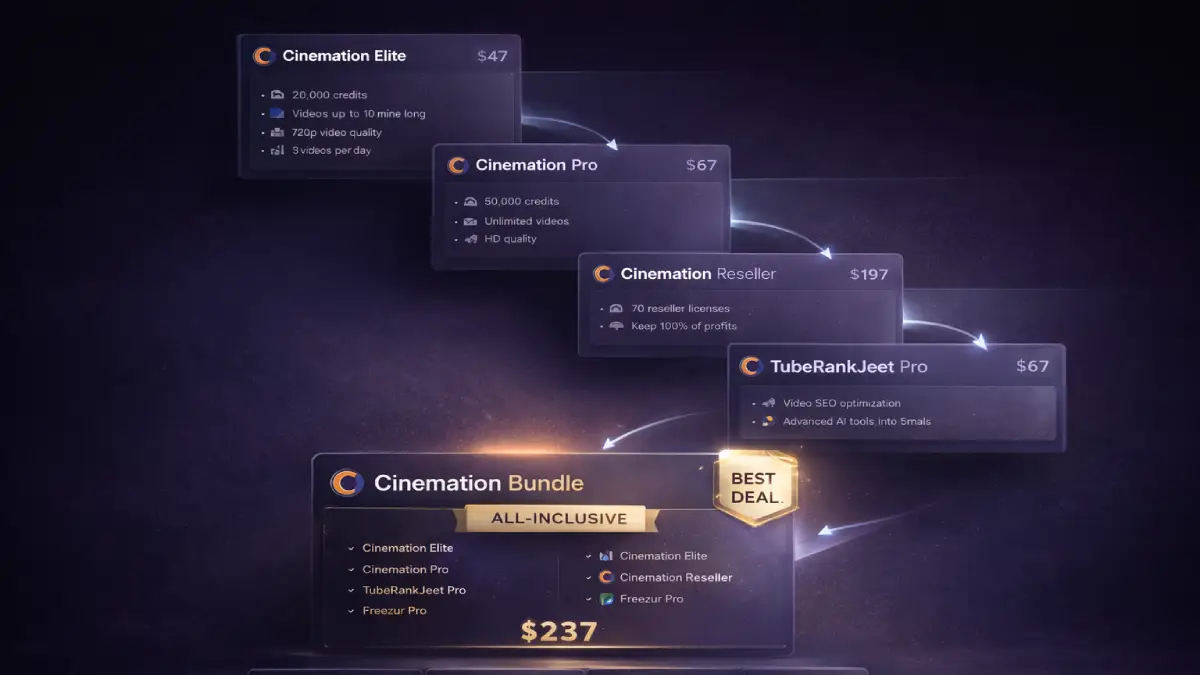
If I wanted the widest business setup without piecing the stack together one upgrade at a time, I would go with the Cinemation All-Inclusive Bundle because it combines Cinemation Elite, Pro, Reseller, TubeRankJeet Pro, and Freezur Pro in one offer. The Front-End makes sense for users who mainly want the entry-level creation system, starter credits, and basic rendering so they can test the platform first. OTO1 Pro is where the software becomes more serious for professionals because it adds longer videos, HD exports, more AI access, commercial use, and broader production freedom. OTO2 Reseller is the play for users who want to sell the software rather than only use it, while OTO3 TubeRankJeet Pro adds a distribution and ranking layer for video SEO. OTO4 Freezur Pro feels like the volume-and-virality expansion for users who want more output, longer runtimes, and broader creative tools.
Pricing & funnel breakdown
| Offer | Price | Best for |
|---|---|---|
| Bundle — Cinemation All-Inclusive Bundle | $237 | Best overall choice for buyers who want the full stack from day one. Includes Cinemation Elite, Cinemation Pro, Cinemation Reseller, TubeRankJeet Pro, Freezur Pro, bonuses, tutorials, and knowledge-base access. It also consolidates the business-use path for creators, agencies, and software marketers who do not want to buy upgrades separately. |
| Front-End — Cinemation Elite | $47 | Entry version for beginners and solo creators who want to start producing AI videos without a large upfront commitment. Includes 20,000 credits, videos up to 10 minutes, 720p exports, 3 videos per day, core AI video creation tools, character generation, and personal-use access. |
| OTO1 — Cinemation Pro | $67 | Best for users who want a more complete production environment. Adds 50,000 credits, all AIs, unlimited videos, up to 30-minute runtimes, HD exports, commercial license, and 2 years of upgrades, making it the most practical upgrade for serious content production. |
| OTO2 — Cinemation Reseller | $197 | Built for marketers who want to sell Cinemation accounts as their own offer. Includes 70 reseller licenses, customer access, no technical setup, and a ready-to-sell software model while allowing the buyer to keep 100% of profits. |
| OTO3 — TubeRankJeet Pro | $67 | Useful for creators who care about discovery and distribution, not just production. Adds unlimited video optimization, unlimited channel support, AI keyword research, commercial rights, and channel-focused SEO tools designed to improve visibility on YouTube and related platforms. |
| OTO4 — Freezur Pro | $67 | The upgrade for users who want more output volume and broader video options. Includes unlimited daily videos, up to 45-minute videos, all AIs unlocked, commercial license, 50,000 welcome credits, expanded media assets, image-to-video support, clip-on-clip creation, ElevenLabs voice integration, and 2 years of upgrades. |
Direct links (bundle first)
Open in a new tab. These are affiliate links.
FAQ
Is Cinemation for short clips only, or can it handle longer storytelling videos?
Longer-form creation is one of its main selling points. The platform is designed for connected scenes and bigger outputs, which makes it more relevant for stories, tutorials, episodic content, and more developed ads than a basic clip generator would be.
Can beginners use Cinemation without editing experience or filming equipment?
Yes. The workflow is set up around describing ideas, generating scripts or scenes, defining characters, and rendering the result, so users do not need a camera setup, actors, or advanced editing software to get started.
Who should seriously look at Pro, Reseller, TubeRankJeet Pro, or Freezur Pro?
Pro is the strongest fit for professionals and creators who want longer runtimes, HD exports, and commercial usage. Reseller is aimed at software sellers. TubeRankJeet Pro matters for users who care about ranking and discoverability. Freezur Pro is more attractive for higher-volume creators who want extra creative flexibility and longer videos.
Do you have a bonus page?
Yes — bonus info is here: /bonus/.
About the reviewer

Samuel Marco
I publish hands-on reviews of AI software and online business tools, with an emphasis on practical workflows, monetization potential, and whether a product can realistically help someone produce more output, save time, or build a marketable service around it.
Final verdict
Cinemation is aimed at a valuable gap inside the AI content market: producing videos that feel more like actual programming and less like isolated visual experiments. By combining consistent characters, script support, scene sequencing, multiple art styles, longer runtimes, and AI-driven production inside one system, it gives creators and marketers a faster path to building publishable video assets at scale. The larger funnel expands that opportunity into professional production, client delivery, software reselling, and traffic optimization, which gives the offer more commercial range than a simple front-end tool alone. The bigger question is not whether the platform can output video. It is whether the user has a content plan strong enough to turn those videos into views, leads, clients, or revenue. For buyers who want a practical AI video tool with distribution and monetization potential, Cinemation makes a credible case.
Want a faster way to create long-form AI videos, recurring characters, storytelling content, social assets, and publishable scenes for channels, ads, and client work?
The Bundle gives the broadest value. Front-End is the easiest starting point. OTO1 unlocks the more serious creator setup, OTO2 opens the reseller route, OTO3 supports video SEO and distribution, and OTO4 expands creative output volume and runtime.