What is AI Image Magic?
AI Image Magic is a visual creation suite built around a simple promise: type what you want, refine what you made, and turn the final asset into motion content without leaving the platform. It covers image generation from scratch, photo editing through text commands, style transformation, and image-to-video creation through built-in AI models.
From a business angle, this makes the tool relevant far beyond hobby image generation. It fits creators producing channel art and social posts, marketers building ad creatives and landing page visuals, sellers refreshing product imagery, and service providers who need repeatable asset production without hiring out every edit. In other words, AI Image Magic belongs in the wider category of content automation, creative iteration, and monetizable asset production.
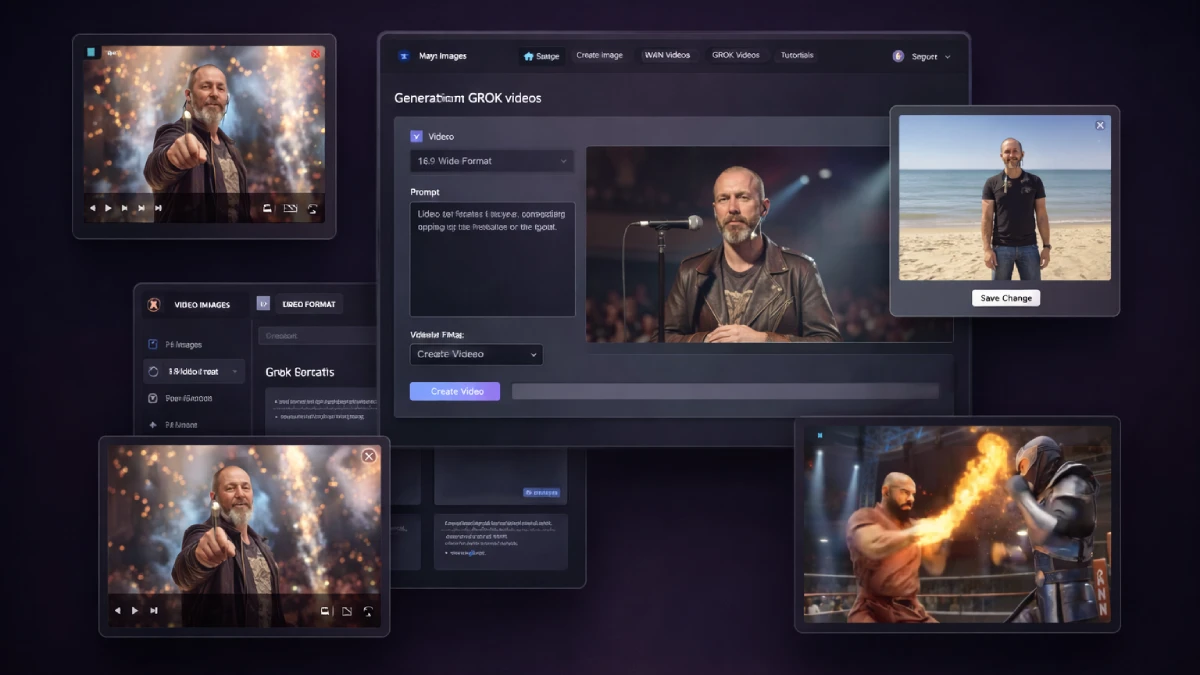
How it works (3 simple steps)
- Step 1 — Start with a prompt or upload a visual: You can create from zero by describing a scene, product concept, portrait, or graphic idea, or begin with an existing image that needs improvement. That flexibility matters because some users want new assets while others want to repurpose what they already have.
- Step 2 — Direct the edits in plain language: Once the base image is ready, the platform lets you adjust style, background, colors, mood, composition, and other elements through prompt instructions instead of manual design tools. Multi-step prompt editing also helps refine results without restarting the process every time.
- Step 3 — Export stills or convert the image into video: After the visual looks right, AI Image Magic can push it into short video output using built-in AI engines. That opens the door to social clips, promotional motion creatives, talking-style content, and presentation visuals using the same source asset.
See how AI Image Magic works
Step-by-step walkthrough from my YouTube channel
Key features that matter
What makes AI Image Magic interesting is not that it can produce AI visuals. Plenty of tools can do that. The stronger argument is that it brings together several stages of the creative pipeline that are usually scattered across multiple subscriptions and interfaces.
- All-in-one AI workspace: image generation, prompt editing, style transformations, and video output live together, which is valuable for creators trying to keep production simple.
- Text-to-image generation: users can create fresh graphics, concept art, promo visuals, social assets, or mock scenes by describing what they want in natural language.
- Prompt-based image editing: existing visuals can be changed with written instructions instead of layer-based design work, making revisions much more accessible to non-designers.
- Advanced transformations: photos can be reinterpreted into themed styles such as cartoons, paintings, or other visual treatments while keeping important identity cues more stable.
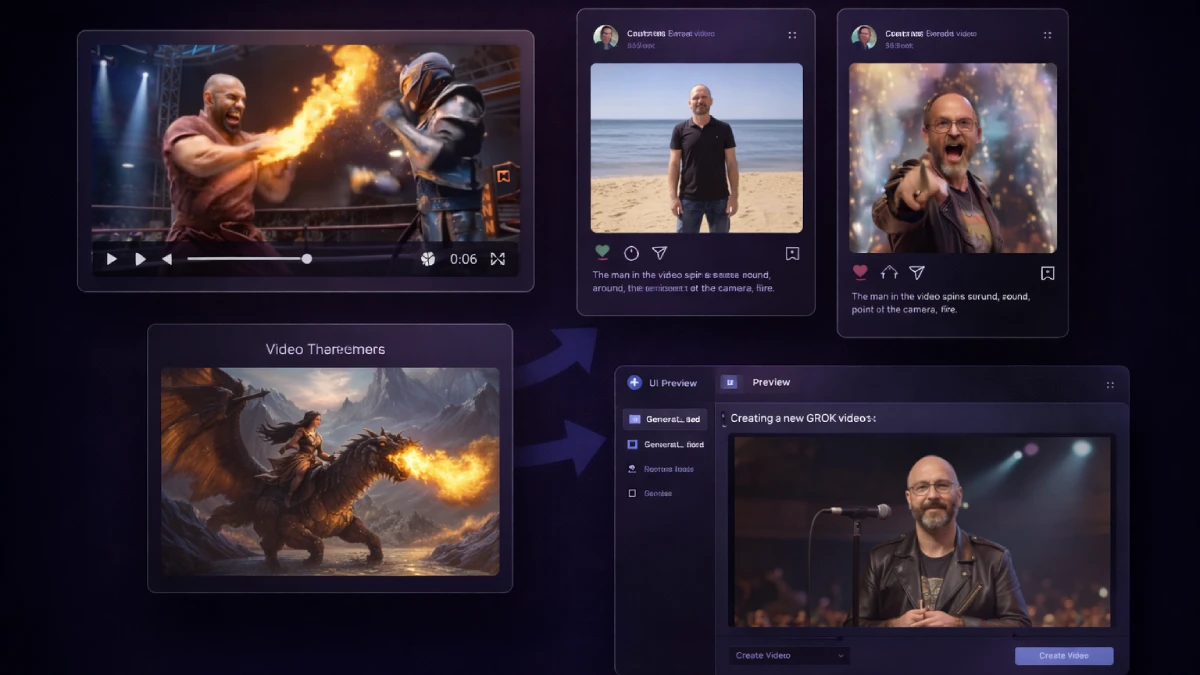
- Image-to-video creation: static assets no longer need to stay static. This feature helps repurpose one strong image into motion content for feeds, ads, intros, or explainers.
- Multiple AI video engines: WAN and GROK give users options depending on whether they want more testimonial-style talking output or more stylized animated effects.
- Multi-step prompt refinement: instead of treating each generation like a one-shot gamble, users can keep iterating with additional instructions and improvements.
- Beginner-first usability: the platform is clearly aimed at users who want results without learning advanced editing software or motion tools first.
- Flexible video aspect ratios: support for landscape and vertical formats helps creators tailor exports for YouTube, presentations, reels, shorts, and ads.
- Commercial content potential: for freelancers, marketers, and agencies, the tool can support client work, social content packages, quick creative prototypes, or monetized visual offers.
Pros & Cons (realistic)
Pros
- Strong fit for content velocity: when your publishing schedule depends on constant visual output, having generation, editing, and motion tools together saves real time.
- Low friction for beginners: users who are not comfortable with Photoshop, Canva workarounds, or video editors can still build useful assets through prompts.
- Good repurposing potential: one image can become multiple styles and then turn into video, which is helpful for creators stretching one idea across several formats.
- Useful for monetizable services: local business creatives, social packages, thumbnails, promo visuals, and simple video assets can all be turned into client offers.
- Affordable front-end entry: the starting price is low enough for experimentation, especially for users who want to test AI-assisted creative production without a larger subscription commitment first.
Cons
- Prompt quality still drives quality: the software may be easy to use, but vague inputs will still produce weak or generic-looking outputs.
- Credit limits matter for active users: anyone planning to create heavily or run client volume will quickly care about the recurring credit upgrade.
- Not every use case needs video: some buyers may mainly want image creation and editing, which could make the motion features less essential to their workflow.
- Training becomes more valuable as ambition grows: beginners can jump in quickly, but commercial users will benefit more from understanding prompting strategy and use-case structure than from random experimentation alone.
My personal angle (how I’d use it)
- For creator economy output: I would use AI Image Magic to spin one concept into thumbnails, post graphics, promo variations, and motion snippets for traffic-focused publishing.
- For affiliate and offer promotion: a tool like this can speed up review graphics, launch banners, callout images, product scene mockups, and short supporting visuals for landing pages or videos.
- For client service packages: I can easily see this fitting into a simple agency offer where businesses need weekly social creatives, ad variations, or branded visuals without paying for full custom design work every time.
- For fast testing: creative iteration matters. Being able to generate, revise, and animate concepts quickly is useful when testing hooks, ad angles, or presentation styles before investing more heavily.
Bonuses
This review is focused on workflow value, feature coverage, and where the upsells make sense in practical use. For the full bonus breakdown and delivery details on Tool Review Central, use the internal page below:
Bonus details
See what’s included and how delivery works after purchase.
Quick buying decision (what I’d pick)
For most buyers, the main decision is really about usage intensity. The Front-End is the logical starting point for anyone who wants affordable access to the core image generation, prompt editing, and image-to-video workflow. OTO1 Monthly Credits becomes the practical upgrade when content creation is not occasional but ongoing, especially for marketers, publishers, and client service providers who need more room to produce regularly. OTO2 Live Training is the skill-accelerator option for beginners and business users who want better prompts, better outputs, and a faster route to commercial use cases.
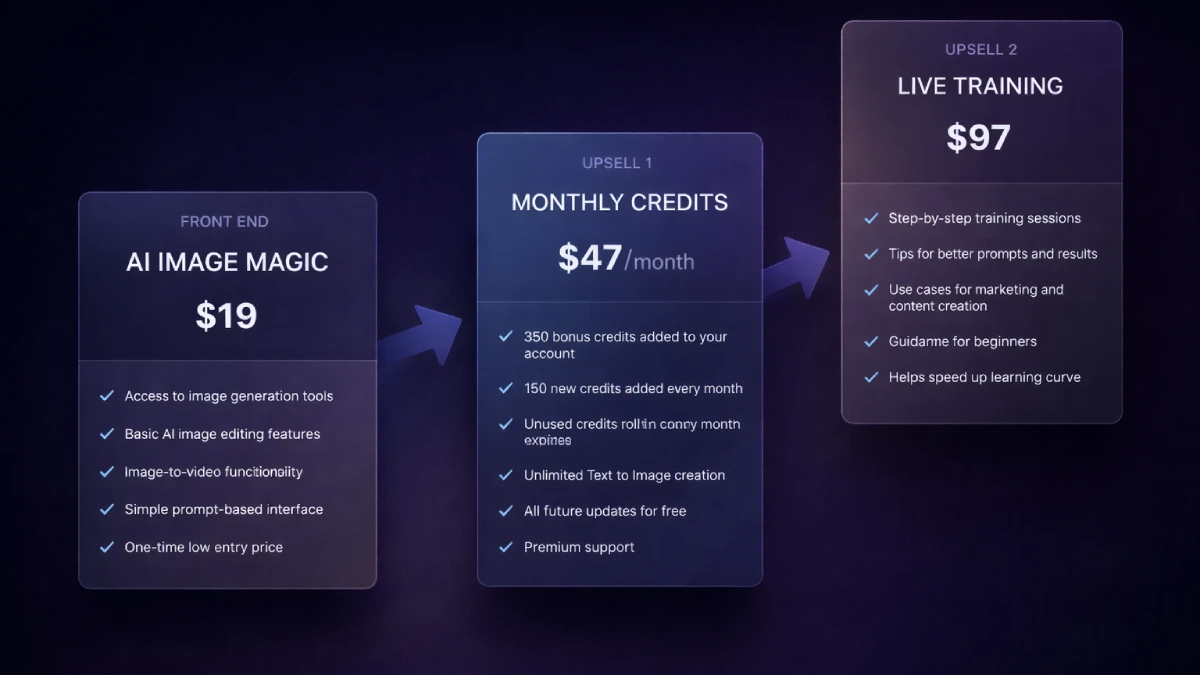
Pricing & funnel breakdown
| Offer | Price | Best for |
|---|---|---|
| Front-End — AI Image Magic | $19 | Best entry point for users who want the core platform at a low one-time price. Includes text-to-image creation, basic AI image editing, image-to-video functionality, and a beginner-friendly prompt workflow. Good fit for creators, marketers, and first-time AI content users. |
| OTO1 — Monthly Credits | $47/month | Better suited to active users who expect to create consistently rather than occasionally. Includes 350 bonus credits, 150 new monthly credits, rollover credits that never expire, unlimited text-to-image creation, all future updates, and premium support. |
| OTO2 — Live Training | $97 | Most useful for beginners, business users, and anyone who wants better outputs faster. Adds step-by-step training, guidance on prompting, practical marketing use cases, and a shorter learning curve for turning the software into something commercially useful. |
Direct links
Open in a new tab. These are affiliate links.
FAQ
Is AI Image Magic mainly for image generation or for broader content production?
It goes further than simple image generation. The stronger use case is building visual assets through several stages: generating images, revising them with prompt instructions, changing style direction, and converting selected results into video content.
Can beginners get value from AI Image Magic?
Yes. The interface is designed around plain-language prompts rather than technical design skills, which makes it approachable for users who want quick creative output without learning traditional creative software first.
Why would someone want the Monthly Credits upgrade?
Because content creation volume changes the economics. If you plan to generate visuals often, test multiple ideas, or deliver assets for clients, the extra recurring credits make the platform more usable as a reliable production tool rather than a light-use experiment.
Do you have a bonus page?
Yes — bonus info is here: /bonus/.
About the reviewer

Samuel Marco
I publish hands-on reviews of AI software and online business tools, focusing on real workflows, commercial use cases, and whether a product can help turn attention into traffic, leads, sales, or scalable service offers.
Final verdict
AI Image Magic addresses a modern production bottleneck: the need to create more visuals, more variations, and more motion-ready assets without expanding time, software costs, or technical complexity. By combining prompt-based image generation, AI editing, style transformation, and image-to-video tools, it gives users a more streamlined route from rough concept to publishable creative. Its commercial value becomes clearer for people working in content distribution, creator branding, promotional asset production, and lightweight client services, where fast turnaround matters more than traditional design perfection. The main tradeoff is that results still depend on direction. Good prompts, good judgment, and a clear use case will outperform random experimentation every time. For users who want a simpler way to produce visual content at speed, AI Image Magic makes a credible case as an accessible all-in-one creative tool.
Want a faster way to generate visuals, rework images with prompts, and turn still assets into usable video content for publishing, marketing, or client work?
The Front-End is the cleanest place to start. OTO1 makes more sense for regular production volume, while OTO2 helps users improve prompts, workflows, and practical business use faster.